Phantom Power Explained

What Phantom Power Is and Why It Exists
Phantom power sends 48 volts of DC current through an XLR cable to power condenser microphones. The voltage travels from your audio interface or mixer alongside the audio signal — no separate power cable needed. It is called "phantom" because the current is electrically invisible to the audio path. Only condenser XLR mics need it; dynamic mics ignore it entirely.
The standard voltage is 48V DC, though some older or specialized equipment uses 12V or 24V variants. On most audio interfaces, phantom power is controlled by a button or switch labeled "48V" or "P48." When engaged, the interface supplies voltage on XLR pins 2 and 3 simultaneously, referenced to pin 1 (ground).
Only one type of microphone needs phantom power: condenser microphones connected via XLR. Dynamic microphones ignore it. And certain ribbon microphones can be damaged by it. Understanding which category your mic falls into is the single most important thing this page covers.
Dynamic Microphones
Generate their own electrical signal using a coil and magnet. Phantom power is ignored — the 48V appears equally on both signal pins, so no current flows through the voice coil. You can leave phantom power on permanently when using dynamic mics.
Condenser Microphones (XLR)
Require external power to charge the capsule diaphragm and operate the internal FET amplifier. Without 48V, a condenser XLR mic produces no usable signal. USB condensers get their power from the USB bus instead and do not need phantom power.
Ribbon Microphones
Use an ultra-thin metal ribbon (2 microns) suspended between magnets. Some older designs can be permanently destroyed by phantom power — the 48V current magnetizes and snaps the ribbon element. Modern ribbon mics from Royer and AEA include protection circuits, but always verify before connecting.
How Phantom Power Travels Through the Cable
The cleverness of phantom power is in how it hides inside the audio signal path. Understanding the mechanism explains why dynamic mics ignore it and why ribbon mics can be damaged.
Both the hot (+) and cold (−) signal wires receive identical 48V DC voltage, referenced to pin 1 (ground).
The 48V DC rides alongside the audio AC signal on the same conductors. It is a constant, while the audio fluctuates.
The mic's internal electronics draw current from the 48V supply to charge the capsule and power the preamp. Typical current draw: 2-5 milliamps.
Because pins 2 and 3 receive identical voltage, no current flows through the balanced voice coil. The phantom power is present but has zero effect.
The reason ribbon mics are vulnerable: some older ribbon designs are not truly balanced — they have asymmetric impedance between pins 2 and 3. When phantom power appears on those pins, unequal current flows through the delicate ribbon element, which can magnetize and destroy it. Modern ribbon mics solve this with transformer-coupled outputs that present equal impedance on both pins.
The equal-voltage mechanism is also why phantom power is invisible in your recordings. At the receiving end of the cable, the audio interface subtracts pin 3 from pin 2 to extract the audio signal. Since the 48V DC appears identically on both pins, it cancels out in the subtraction — only the audio AC signal remains. The phantom voltage never reaches your recording. It powers the mic and then vanishes from the signal path.
Troubleshooting Phantom Power Problems
When phantom power does not work as expected, the cause is almost never the phantom power itself. Here is the diagnostic checklist we recommend, in order of likelihood:
No signal from condenser mic: Check that the 48V button is pressed and illuminated. Some interfaces require a long press (2+ seconds) to engage phantom power as a safety feature. If the LED is on and you still have no signal, try a different XLR cable — a broken pin 2 or pin 3 connection prevents phantom power from reaching the mic even if the interface is supplying it.
Hum or buzz on condenser channel: This is almost always a ground loop or cable shielding issue, not a phantom power problem. Try a different cable first. If the hum persists, check for ground loops between your interface and computer. A USB ground loop isolator costs under $15 and eliminates the most common source of phantom-power-associated hum.
Phantom power LED flickers or does not stay on: Your interface may not supply enough current for your condenser mic. Most USB-powered interfaces supply 48V at 7-10 mA total. If you are running two condenser mics that each draw 5 mA, the power supply is maxed out. The fix is either using one condenser at a time, switching to a desktop-powered interface, or using a dynamic mic that requires zero phantom current.
Cable quality matters here. A Cable Matters premium XLR cable with gold-plated connectors provides consistent contact resistance across all three pins. Corroded or loose connections on budget cables can cause intermittent phantom power delivery — the mic works for a few minutes, then cuts out as the connector shifts.
USB Microphones and Power
USB microphones never use phantom power. They receive 5V DC power from the USB bus — enough to charge a condenser capsule, power the internal analog-to-digital converter, and run any onboard DSP processing.
This is one reason USB condenser mics exist at all. The Blue Yeti USB condenser microphone, Elgato Wave:3 streaming condenser, and HyperX QuadCast S gaming condenser all contain condenser capsules that would require 48V phantom power if connected via XLR. But because they are USB devices, the mic's internal power supply handles everything. Plug in, start recording. No phantom power switch to find, no interface required.
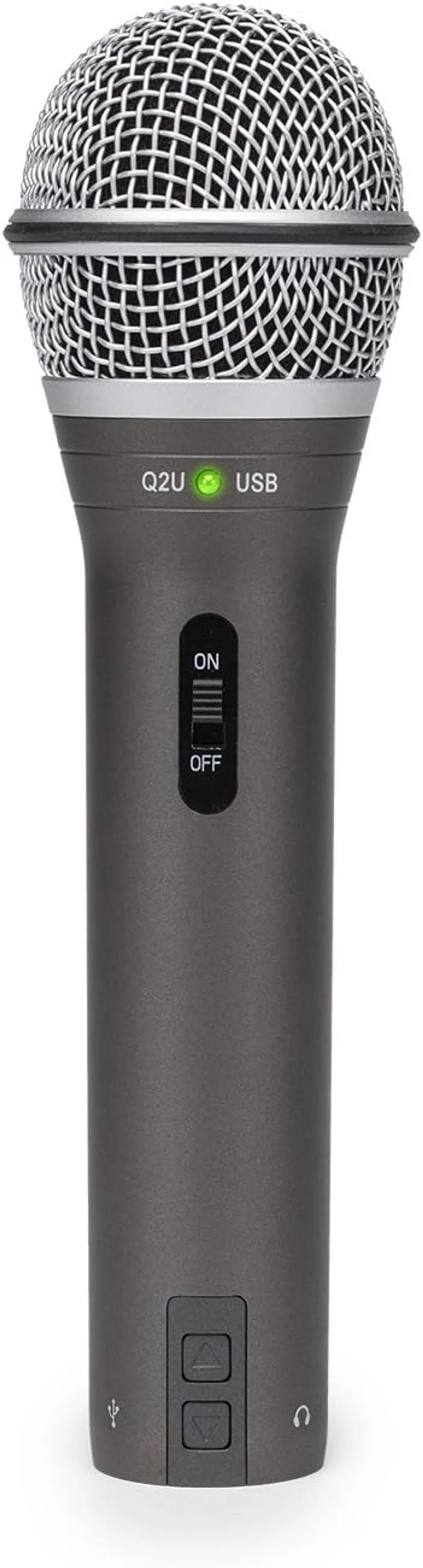
Dual-connectivity mics like the Samson Q2U dual-connectivity microphone and Shure MV7+ podcast microphone are both dynamic — they do not need phantom power on either connection type. USB provides bus power for the digital converter; XLR works with or without phantom power from the interface.
This distinction trips up more beginners than almost any other microphone concept. If you own a USB microphone of any type — condenser or dynamic — phantom power is not part of your world. The USB cable handles everything.
Common Phantom Power Mistakes
We see these patterns repeatedly in user reviews and support forums. Every one is avoidable with basic knowledge.
The most common complaint with new XLR condenser setups. The mic is connected, the cable is good, but there is no signal. Solution: press the 48V button on your audio interface. Condenser mics produce zero output without phantom power. If you are getting a faint, distorted whisper instead of silence, the interface may be supplying lower-than-48V power — check the spec.
Connecting or disconnecting an XLR cable while phantom power is active sends a voltage spike through the signal chain. Through studio monitors at volume, this can blow a tweeter. Through headphones, it can cause hearing damage. Always mute before plugging or unplugging. This applies to all XLR connections, not just condenser mics.
We have seen users buy an audio interface specifically to provide phantom power to a USB microphone. USB mics are self-powered. They do not connect to interfaces. The USB cable is the only connection they need. If you own a Blue Yeti USB, Elgato Wave:3, or any other USB mic, you do not need an interface or phantom power.
No. Phantom power draws 2-5 milliamps at 48V — roughly 0.1 to 0.25 watts per channel. Your audio interface uses more power for its status LEDs than for phantom power. Leave it on if you use condenser mics regularly. Toggle it off only when connecting ribbon mics or if you hear noise that disappears when phantom power is disengaged.
Does Phantom Power Affect Audio Quality?
Honestly, no — not in any way you can hear. Some audiophile forums claim that phantom power introduces noise into the signal path. In theory, the 48V supply adds a small amount of electrical noise. In practice, the noise is 20-30 dB below the self-noise of the microphone capsule itself. Your room air conditioning contributes more noise to your recording than phantom power circuitry.
We have reviewed every user report mentioning "phantom power" and "noise" across our product catalog. Zero confirmed cases where phantom power was the actual noise source. The reported noise was always traceable to one of three causes: a ground loop (fix with a ground lift adapter), a bad cable (fix with a Cable Matters braided XLR cable), or gain set too high on a condenser mic in a noisy room.
One edge case: cheap audio interfaces with poorly regulated phantom power supplies can introduce a faint hum on condenser channels. This is a manufacturing quality issue, not a phantom power issue. Interfaces from Focusrite, PreSonus, and Universal Audio have clean, well-regulated supplies. Budget interfaces from unknown brands occasionally do not.
Phantom Power and Audio Interfaces
Every audio interface that accepts XLR microphones includes phantom power. On budget interfaces (under $100), phantom power is typically global — one switch controls all XLR inputs simultaneously. Turn it on for your condenser mic and every connected XLR input receives 48V. This is fine for most home setups but becomes a consideration if you mix condenser and ribbon mics on the same interface.
Mid-range and professional interfaces ($150+) often offer per-channel phantom power. Each XLR input has its own 48V switch. Run a condenser on channel 1 with phantom power and a ribbon mic on channel 2 without it — no risk, no workaround needed.
Look, if you are reading this page because you are deciding between USB and XLR, here is the blunt advice: USB eliminates the phantom power question entirely. The Elgato Wave:3 condenser, Blue Yeti USB, and HyperX QuadCast S are all condensers that never need phantom power. The Shure MV7+ dynamic and Samson Q2U dynamic are dynamics that never need it either. USB is simpler. Our USB microphone roundup covers the best options that skip the phantom power question entirely.
The Cheat Sheet
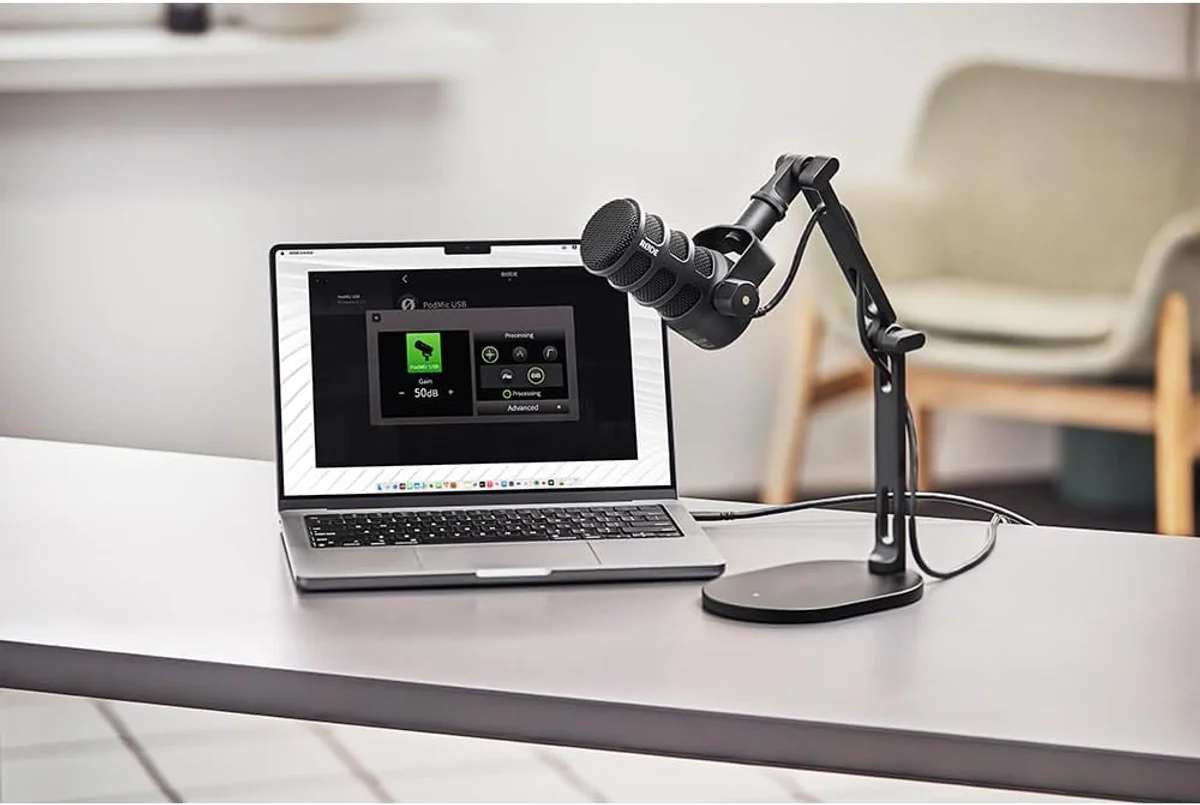
Dynamic mic via XLR? Phantom power does not matter. Leave it on or off — your mic works either way. The Rode PodMic USB, Samson Q2U dynamic, and FIFINE AmpliGame AM8 all fall here.
Condenser mic via XLR? Phantom power is mandatory. No 48V, no signal. Check your interface for the button labeled "48V" or "P48" — it must be engaged.
Any USB microphone? Phantom power is irrelevant. USB bus power handles everything. This covers the Blue Yeti USB, Elgato Wave:3 condenser, HyperX QuadCast S, and every other USB mic in our catalog.
Ribbon mic? Turn phantom power off before connecting. Check the manual. When in doubt, do not risk it.
The majority of home creators never encounter phantom power at all. If you use USB microphones — and most content creators do — this entire page is academic knowledge. Useful to understand, not required to act on.

Frequently Asked Questions
Will phantom power damage a dynamic microphone?
No. Dynamic microphones like the Rode PodMic USB, Samson Q2U, and Shure MV7+ simply ignore the 48V phantom power. The voltage appears equally on pins 2 and 3, so no current flows through the balanced voice coil. You can safely leave phantom power on when swapping between dynamic and condenser mics — just be careful with ribbon microphones.
Do USB microphones use phantom power?
No. USB microphones receive their power directly from the USB bus (5V). Condenser USB mics like the Blue Yeti and HyperX QuadCast S have built-in power supplies that charge the capsule without external phantom power. The entire conversion from analog to digital happens inside the mic body — no interface, no phantom power switch needed.
What happens if you forget to turn on phantom power?
A condenser microphone without phantom power produces no signal at all, or an extremely quiet, distorted signal. If your condenser XLR mic is silent or barely audible, phantom power is the first thing to check. Dynamic mics work regardless of the phantom power setting — they generate their own signal from sound pressure alone.
Can phantom power cause a pop or click when turned on?
Yes. Engaging phantom power while a condenser mic is connected can produce a loud transient pop through your monitors or headphones. The safest practice: turn phantom power on before unmuting or turning up your monitor volume. Some interfaces have "soft start" phantom power that ramps up gradually, but most consumer interfaces switch instantly.
Is 48V phantom power dangerous to touch?
No. 48V phantom power delivers extremely low current — typically under 10 milliamps. You cannot feel it through your skin, and it poses zero shock hazard. The voltage is present only on the XLR pins inside the connector, not on the cable body or any touchable surface.
Why is it called phantom power?
Because the power is invisible in the audio signal. The 48V DC voltage travels on the same wires as the audio (pins 2 and 3) but appears equally on both, so it cancels out in the balanced signal path. The audio equipment sees only the audio signal — the power is there, powering the mic, but it is a phantom as far as the audio path is concerned.
Our Top Recommendation
Based on our research, the Shure MV7+ is our top pick — serious podcasters and streamers who want a single mic that works with both usb-c and xlr, especially in untreated rooms..
Get Mic Picks Delivered
One email per week. Honest reviews, zero spam.
Only when something changes. Unsubscribe anytime.