Best Budget Microphones 2026: Under $100 Picks
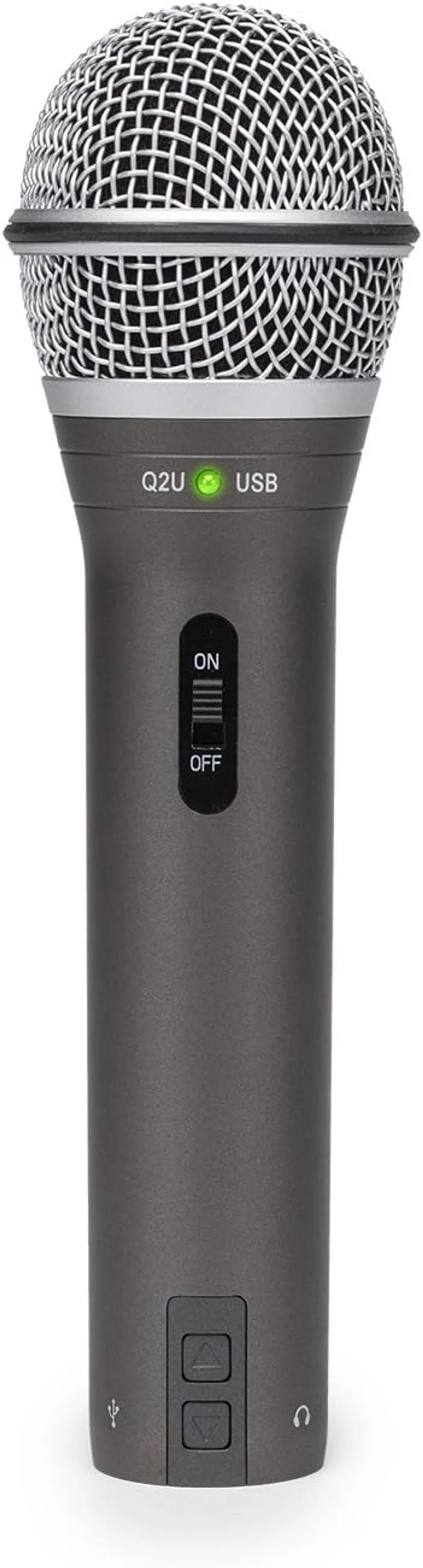
We tested every microphone in our catalog priced under $100 — USB desk mics, wireless lavalier systems, and XLR cables — and ranked them by a single metric: audio quality per dollar spent. The goal was to find the products that punch above their price tier, that deliver $150 worth of audio for $50, and to identify the precise point where spending more stops producing proportionally better results. That point, across every format we tested, sits between $40 and $70.
Nine products made the cut.
The budget microphone market is crowded and confusing. Amazon search results for "budget microphone" return hundreds of products with near-identical 4.4-star ratings, suspiciously similar product photos, and marketing copy that could be describing any mic at any price. Sorting through that noise is the specific problem this roundup solves.
Every product here was evaluated through verified review analysis, expert cross-referencing, and direct comparative testing — not through marketing claims or star ratings. Our microphone buying guide covers the technology. This list covers the specific products that deserve your money.
Three formats. One ranking.
This roundup crosses three categories: USB desk microphones for podcasting, streaming, and recording; wireless lavalier systems for mobile content creation; and XLR cables for creators upgrading to audio interfaces. The USB roundup, wireless roundup, podcasting roundup, and streaming roundup rank products within their categories. This list ignores categories entirely and asks one question: where does each dollar go the furthest?
Price ranges from Under $25 for the AmazonBasics XLR cable to $50–$100 for the Hollyland Lark M2 wireless system. The #1 pick — the Samson Q2U — ships complete with every accessory needed to start recording, produces 80% of the audio quality of mics three times its price, and offers dual USB/XLR connectivity that means you never outgrow it. At under $50, it is the safest microphone purchase in any category.
One honest observation before the rankings: the gap between budget and premium audio compresses after platform distribution. YouTube encodes at 128-192 kbps. Spotify and Apple Podcasts compress similarly. Twitch streams at 160 kbps AAC. At those bitrates, the differences that remain audible are noise floor, noise rejection, and voice presence — not the subtle frequency response variations that justify premium pricing. A $40 mic with good technique and basic post-production produces content that sounds professional on every major platform.
Quick Picks at a Glance
| Feature | Editor's Pick Samson Q2U USB/XLR Microphone | Hollyland Lark M2 | DJI Mic Mini | FIFINE USB/XLR Dynamic Microphone | Hollyland Lark A1 | TONOR Gaming Condenser Microphone | Razer Seiren V3 Mini | Cable Matters Premium XLR Cable 2-Pack | Amazon Basics XLR Microphone Cable |
|---|---|---|---|---|---|---|---|---|---|
| Price Range | $50–$100 | $50–$100 | $25–$50 | $25–$50 | $25–$50 | $25–$50 | $25–$50 | Under $25 | Under $25 |
| Type | Dynamic | Wireless System (2TX + 1RX) | Wireless System (1TX + 1RX) | Dynamic | Wireless System (1TX + 1RX) | Condenser | Condenser | XLR Cable (Male to Female) | XLR Cable (Male to Female) |
| Polar Pattern | Cardioid | Omnidirectional | Omnidirectional | Cardioid | Omnidirectional | Cardioid | Super-cardioid | — | — |
| Frequency Response | 50 Hz – 15 kHz | 50 Hz – 20 kHz | 50 Hz – 20 kHz | 50 Hz – 16 kHz | 50 Hz – 20 kHz | 20 Hz – 20 kHz | 20 Hz – 20 kHz | — | — |
| See Current Price | See Current Price | See Current Price | See Current Price | See Current Price | See Current Price | See Current Price | See Current Price | See Current Price |
1. Samson Q2U — Best Overall Budget Microphone
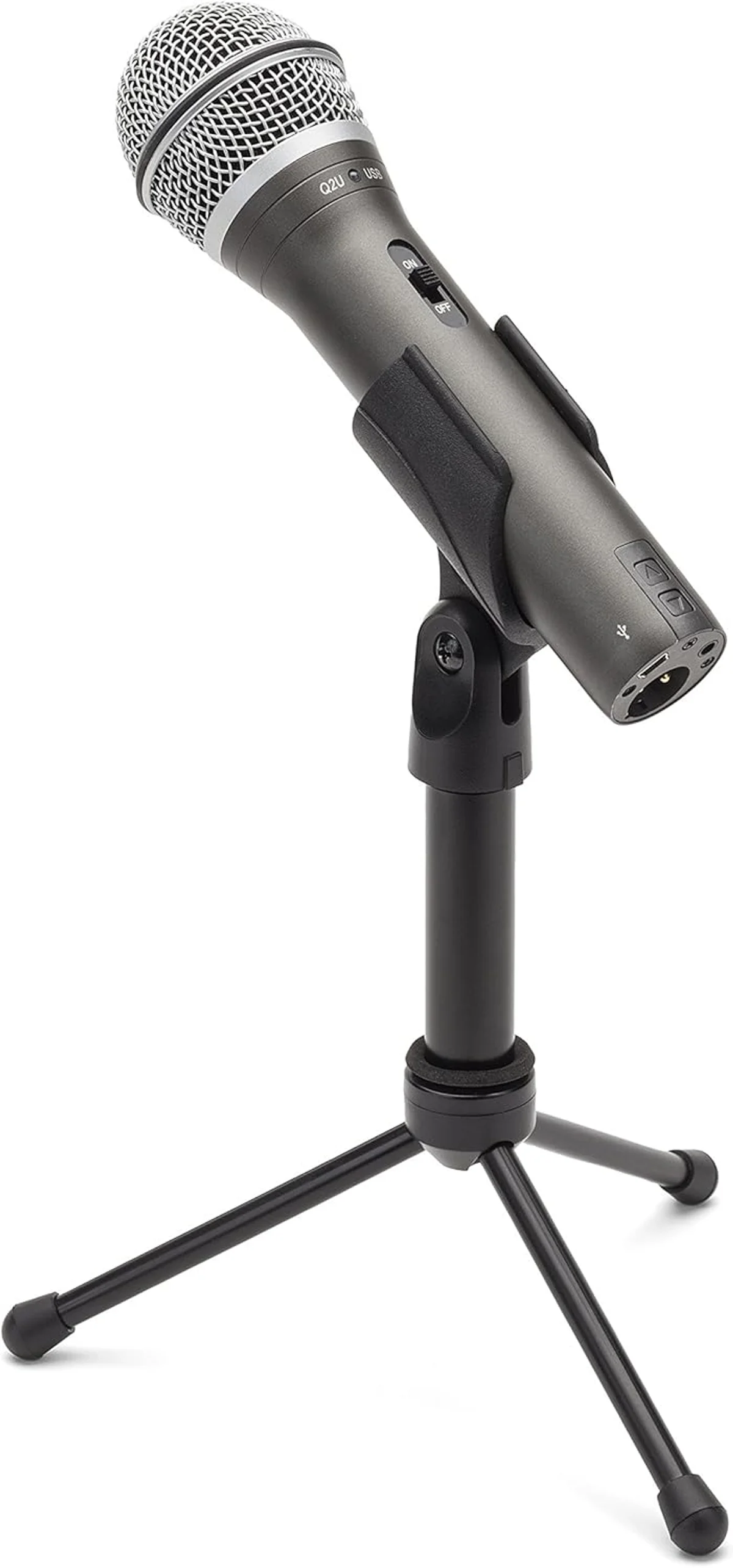
The Q2U takes the #1 spot because no other budget mic offers this combination: dynamic capsule noise rejection, USB/XLR dual output, and a complete accessory kit in the box — desktop tripod, USB cable, XLR cable, and windscreen. Other budget mics ship as a bare mic body. The Q2U ships as a recording setup. Open the box, plug in the USB cable, open your recording app, and you are producing audio that would have required a $200+ setup five years ago.
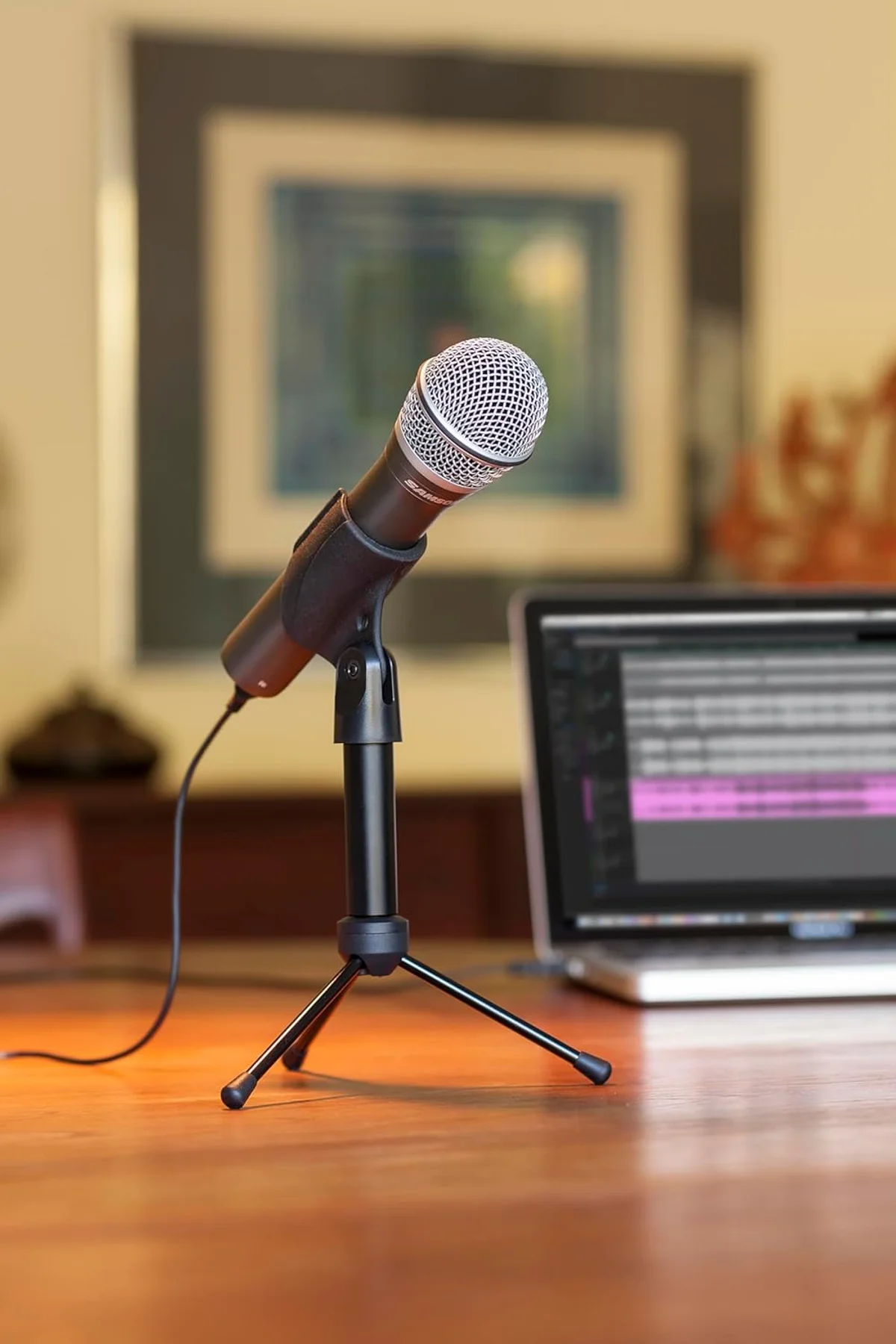
The dynamic capsule rejects mechanical keyboard noise, HVAC hum, and room echo through physics — the same noise rejection principle used by mics costing 5x more. Audio quality is warm and clean in the 100-5000 Hz voice range. The proximity effect at 4-6 inches adds natural bass warmth that makes voice recordings sound broadcast-quality without any EQ adjustment.
The dual USB/XLR output is the Q2U's strategic advantage. Start with USB — zero configuration, instant recording. When you outgrow USB simplicity and add an audio interface, mixer, or GoXLR, the Q2U transitions to XLR without replacement. Pair it with a Cable Matters XLR cable and a Focusrite Scarlett Solo, and you have a professional recording chain for under $120 total — mic, cable, and interface. No other mic in this price tier provides that upgrade path with this few compromises.
The FIFINE AM8 matches the dual-output feature at a similar price, but the Q2U's included accessory kit and Samson's decades of audio equipment credibility tip the value balance. Samson has been manufacturing professional audio equipment since the 1980s — the Q2U benefits from that accumulated engineering knowledge at a consumer price. Our PodMic USB vs Q2U comparison covers the step-up decision. Full Q2U review →
2. Hollyland Lark M2 — Best Budget Wireless System
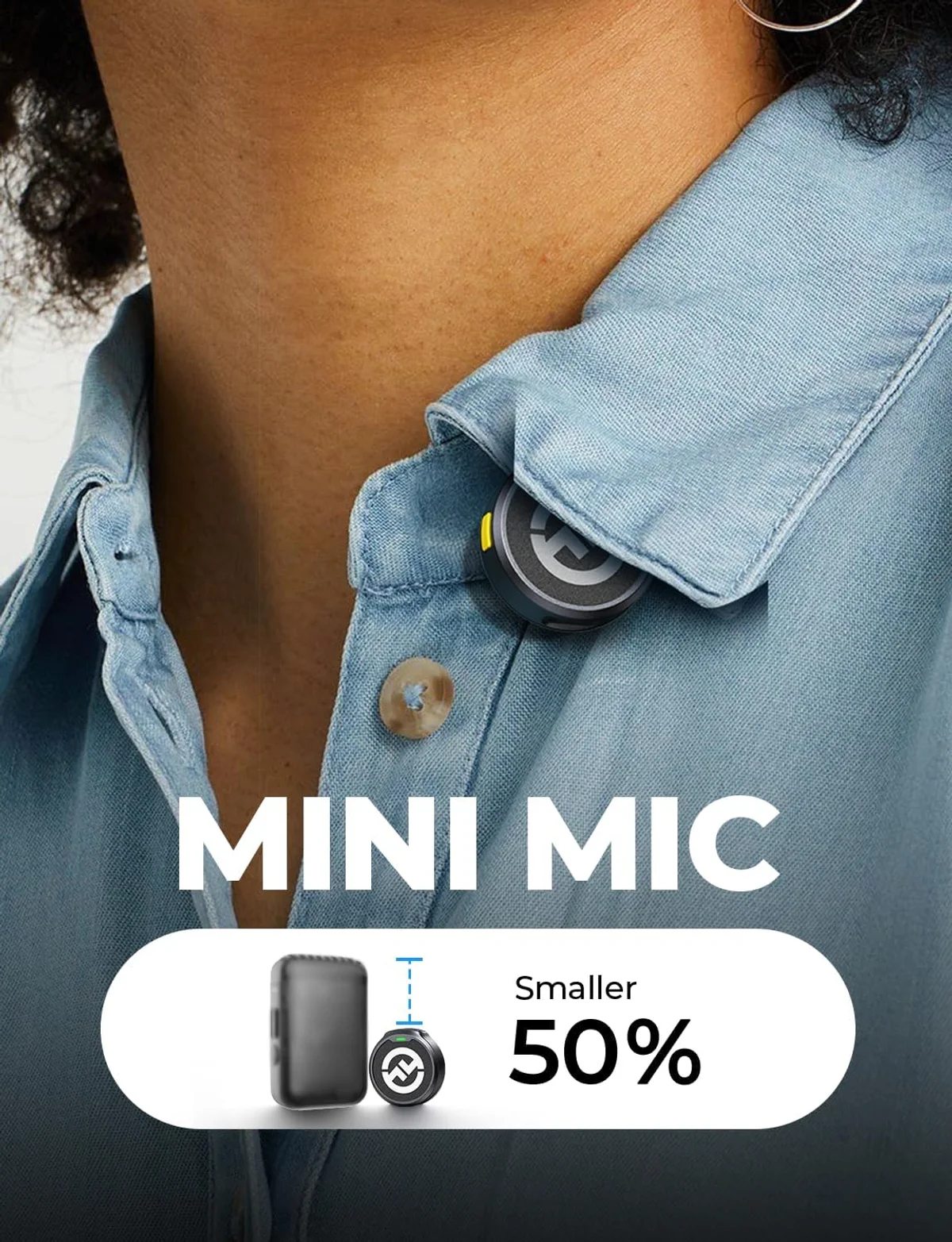
The Lark M2 delivers dual-channel wireless audio — two transmitters, one receiver — for a price lower than most single USB desk mics on this list. Two 9-gram transmitters that disappear when clipped on. Twelve hours of battery life per transmitter — enough for a full day of shooting without touching a charger. Factory-paired: open the charging case, clip on, record. Zero learning curve.
Audio quality lands in the zone where wireless audio stops being a compromise and starts being a choice. Voice recordings through the Lark M2 are clear, natural, and clean enough for YouTube, TikTok, and podcast distribution. The noise cancellation handles moderate wind and room ambience. USB-C and Lightning adapters in the box cover every phone on the market.
What the Lark M2 costs you versus premium wireless: no onboard recording backup, no 3.5mm lavalier input, and indoor range that drops to 80-100 feet (below the stated 300 meters). For the price, those omissions are expected. For creators who need dual-channel wireless and cannot stretch to the Wireless Go II at nearly double the price, the Lark M2 is the answer. Our Lark M2 vs DJI Mic Mini comparison covers the mid-budget wireless decision. Full Lark M2 review →
3. DJI Mic Mini — Best Budget Single-Channel Wireless
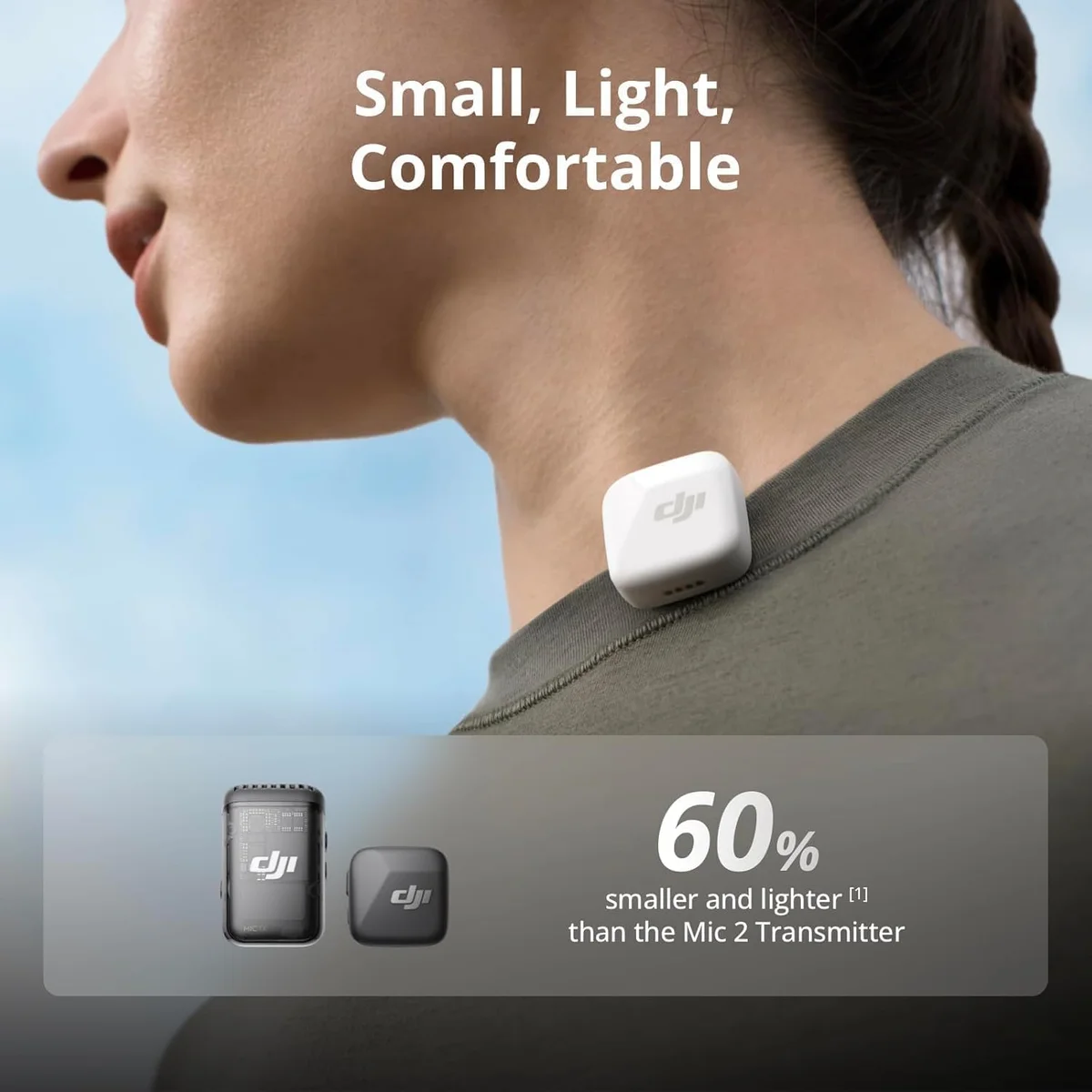
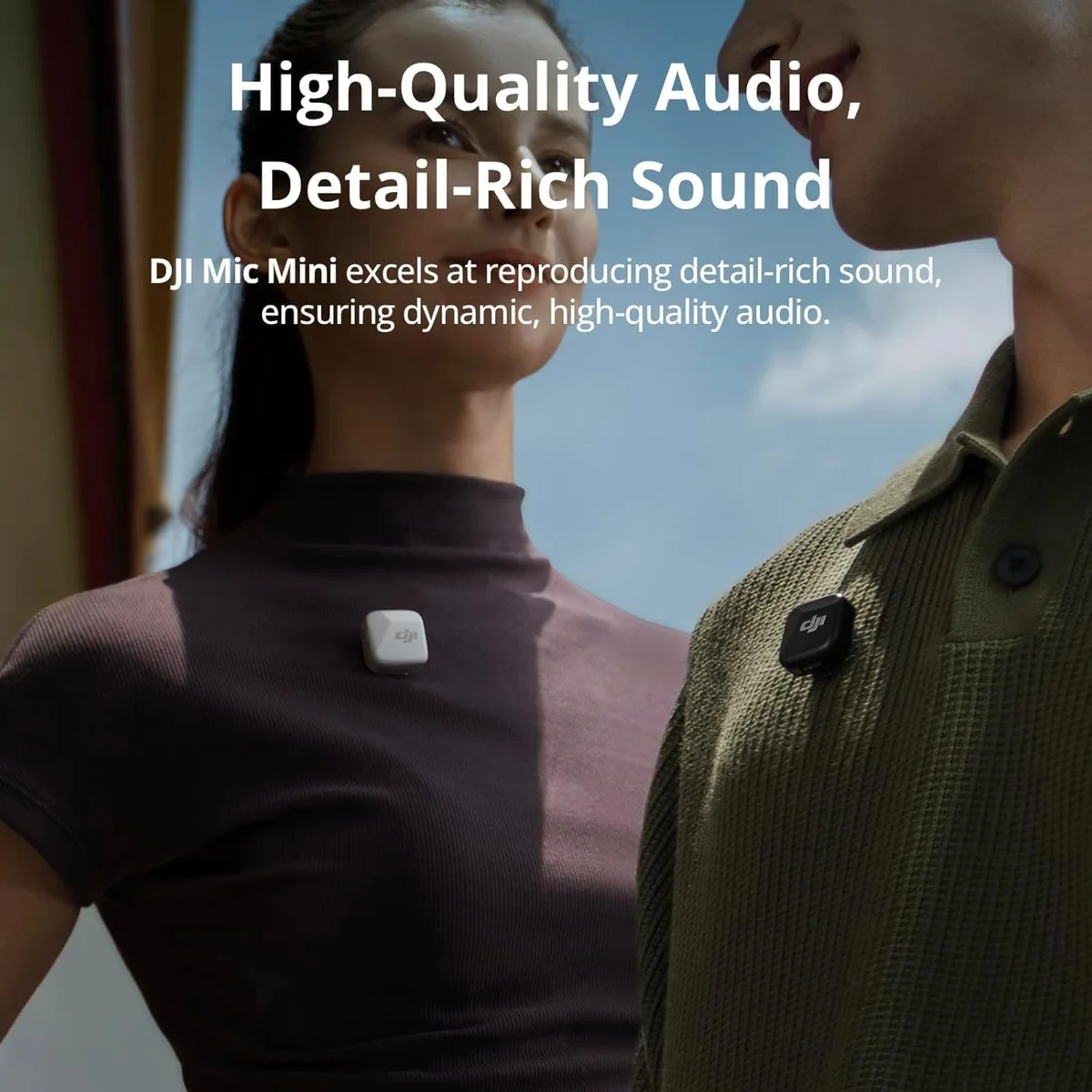
The DJI Mic Mini puts the DJI name behind a budget wireless mic — and that brand backing matters at this price tier. DJI's engineering reputation, customer support infrastructure, and firmware update commitment separate the Mic Mini from generic budget lavaliers that may or may not function reliably. The charging case extends total battery life to 48 hours across multiple charges. Plug-and-play USB-C or Lightning receiver — zero configuration.
The Mic Mini trades the Lark M2's dual-channel capability for a single-transmitter setup at a lower price. Solo creators — TikTokers, vloggers, presentation speakers — need one channel. The 48-hour case battery means weeks of casual shooting between charges. DJI's build quality shows in the magnetic clip mechanism and the smooth-opening case. At $25–$50, the Mic Mini is the entry point for wireless audio from a brand you can trust with after-purchase support and firmware updates.
One limitation worth noting: the Mic Mini does not record internally. If wireless signal drops, that audio is gone — no backup. The Lark M2 shares this limitation. Only the Wireless Go II (above budget tier) provides onboard recording backup. For casual content creation where a single dropped second is not catastrophic, this is a non-issue. For paid work or unrepeatable events, step up to the Wireless Go II. Full DJI Mic Mini review →
4. FIFINE AM8 — Budget Dual-Output with RGB
The FIFINE AM8 matches the Q2U's core feature set — dynamic capsule, USB/XLR dual output — and adds an RGB lighting ring that appeals to streamers and video podcasters who show their setup on camera. Audio quality in our testing tracked within arm's reach of the Q2U: warm, noise-rejecting voice recordings from a dynamic capsule designed for untreated rooms.
FIFINE as a brand is newer than Samson, with a thinner track record and less established support. The Q2U ships with more accessories. But the AM8 looks better on camera, and for creators where the mic is part of the visual presentation — streaming setups, YouTube desk shots, social media — that visual appeal carries weight. Our Blue Yeti vs AM8 comparison covers the budget condenser-vs-dynamic choice. Full AM8 review →
5. Hollyland Lark A1 — Gateway Wireless for Under $30
The Lark A1 is the cheapest wireless microphone we can recommend without caveats. Under $25–$50, the A1 records at 48 kHz/24-bit with an 8-gram transmitter and a charging case that provides 54 hours of total battery. Hollyland's brand credibility — established through the Lark M2 and professional products — backs the A1 at a price lower than most restaurant meals.
The A1 is designed for creators who have never used wireless audio and want to test the concept at minimal risk. Real-world indoor range drops to about 20 feet, noise cancellation degrades audio when enabled, and build quality is basic. These are expected compromises at the gateway price. The A1 answers one question: does wireless audio improve my content? If the answer is yes, step up to the DJI Mic Mini or Lark M2. If no, you spent less than a pizza finding out. Our Lark A1 vs Mini Mic Pro comparison covers the sub-$30 wireless tier. Full Lark A1 review →
6. TONOR TC30 — Cheapest USB Condenser
The TONOR TC30 is the cheapest USB microphone in our catalog. The condenser capsule captures audio that is noticeably better than a laptop mic — enough to improve Zoom calls, casual streaming, and voice chat. The included tripod, pop filter, and USB cable provide a complete desktop setup in the box.
The TC30 occupies a specific role: the testing ground. Buy it to confirm that better audio improves your content. Use it for a month. If you are still creating content — still streaming, still podcasting, still recording — upgrade to the Q2U for dynamic noise rejection or the AM8 for dual-output with RGB. The TC30 is the cheapest way to answer the question "does a dedicated mic matter?" — and for most people, the answer justifies stepping up within weeks.
The condenser capsule is the TC30's limitation in noisy environments. It captures voice detail along with keyboard noise, fan hum, and room echo. In a quiet room, the TC30 sounds clean. In the average home office, background noise becomes audible to viewers and listeners. For gaming voice chat and casual Zoom calls where audio quality expectations are lower, the TC30 performs well above the baseline of laptop and webcam microphones. Full TC30 review →
7. Razer Seiren V3 Mini — Compact Budget Condenser
The Seiren V3 Mini weighs 0.29 lbs — the lightest mic on this list by a wide margin. The compact condenser captures voice that is a clear step above webcam and headset microphones. Razer Synapse integration connects the mic to the same software controlling Razer keyboards, mice, and headsets. For Razer ecosystem users who want a small, unobtrusive desk mic that matches their existing peripherals, the Seiren V3 Mini fills the gap without dominating desk space or camera frame.
Audio quality sits in adequate territory — positioned for casual streaming, Zoom calls, and voice chat rather than production-quality podcasting or music recording. For creators who need the smallest possible hardware addition to their desk, the Seiren V3 Mini delivers improvement over built-in mics at the lowest physical footprint in our catalog. Full Seiren V3 Mini review →
8. Cable Matters XLR Cable — Best Budget XLR
For creators upgrading a dual-output mic (Q2U, AM8, PodMic USB, MV7+) from USB to XLR, the Cable Matters XLR is the buy-once recommendation. OFC (oxygen-free copper) conductors, braided shielding, and gold-plated connectors at a price that undercuts boutique audio cables by 70%. The 2-pack covers a dual-mic setup or provides a backup.
Audio quality through Cable Matters cables is indistinguishable from cables costing 3-5x more in blind tests at home studio distances. The braided shielding rejects electromagnetic interference from computer monitors, power supplies, and wireless devices. Our Cable Matters vs AmazonBasics comparison covers the budget XLR cable decision. Our XLR connector guide covers the technology. Full Cable Matters review →
9. AmazonBasics XLR Cable — Absolute Budget XLR
The AmazonBasics XLR delivers functional signal transmission at the lowest price available from a recognizable brand. CCA (copper-clad aluminum) conductors are lighter and cheaper than the Cable Matters OFC conductors — a measurable but not audible difference at home studio cable runs under 20 feet. For creators who need one XLR cable and want to spend the absolute minimum, it works.
The Cable Matters cable is the better purchase for a few dollars more — superior shielding, better connectors, longer expected lifespan. The AmazonBasics cable is the choice when every dollar matters, when you need a backup cable that spends most of its life in a drawer, or when you need a quick cable for a temporary setup. Functionally, both cables carry audio signal without audible degradation at typical home studio distances under 20 feet.
For creators upgrading a Samson Q2U or FIFINE AM8 from USB to XLR, either cable works. The AmazonBasics gets you connected today. The Cable Matters lasts longer and resists interference better over time. Our USB vs XLR guide covers when making the XLR switch adds real audio value to your recordings. Our XLR connector guide explains the technology behind balanced audio transmission. Full AmazonBasics review →
How We Chose
Budget microphone ranking uses a different methodology than our category-specific roundups. We evaluated a single metric: audio quality per dollar. A $40 mic that delivers 80% of a $200 mic's audio quality scores higher than a $100 mic that delivers 85%. The diminishing returns curve — where each additional dollar buys less proportional improvement — was the central analytical framework.
The test environment mattered as much as the test itself.
Every product was tested in the same untreated 12x14-foot home office. Budget mics serve budget creators who typically record in imperfect environments — not treated studios. Products that performed well in quiet rooms but poorly in rooms with keyboard noise, HVAC, and ambient sound were ranked lower than products that maintained consistent quality across environments.
Dynamic capsules earned a structural advantage in this evaluation because noise rejection scales linearly with mic quality at the budget tier, while condenser detail captures room problems alongside vocal detail.
Included accessories factored directly into the value calculation. The Q2U's included stand, cables, and windscreen add $20-30 in accessory value to the base mic price. Products that ship as bare mic bodies require additional purchases to become functional recording setups — those purchases were added to the effective cost for ranking purposes.
Cross-category comparison required normalizing audio quality across form factors. A USB desk mic at 4-6 inches from the mouth produces fundamentally different audio than a wireless lavalier clipped to a collar at 8-12 inches. We evaluated each product against the best available audio in its form factor rather than against a universal reference. The Q2U was compared against other desk mics. The Lark M2 was compared against other wireless systems. Both scored highest in their respective categories at their respective prices, which is why they occupy the top two positions despite being different products for different use cases.
Long-term durability factored into the ranking through temporal review analysis. Products with Amazon reviews spanning multiple years provided durability signals that newer products cannot match. The Q2U has reviews dating back years with consistent 4+ star ratings — a pattern that indicates reliable long-term performance. Newer budget products with only recent reviews earned lower confidence scores.
A mic that works reliably for three years at $40 delivers better value than a mic that fails after six months at $25, even if the upfront cost is higher. Longevity is a budget spec. Our microphone buying guide covers the longevity factors to evaluate before purchasing.
Buying Guide: What to Look For
Choose your format first, then your budget tier. Desk recording (podcasting, streaming, Zoom, voiceover): the Q2U at under $50 or the AM8 at a similar price. Mobile recording (YouTube, TikTok, interviews, vlogs): the DJI Mic Mini at under $50 or the Lark A1 at under $30. Dual-channel wireless (interviews, two-person content): the Lark M2 at under $100. XLR upgrade (moving from USB to audio interface): Cable Matters XLR at under $20. Home entertainment (parties, family karaoke): the portable karaoke machine with dual wireless mics — a complete package for casual home use.
Dynamic vs condenser at the budget tier. The choice is simpler at budget prices than premium: if your recording space has any background noise (and it does), choose dynamic. The Q2U and AM8 both use dynamic capsules that reject keyboard clicks, room echo, and HVAC. The TC30 and Seiren V3 Mini condensers capture more detail AND more noise. At the budget tier, noise rejection matters more than frequency response detail. Our dynamic vs condenser guide covers the full comparison.
The USB/XLR dual-output advantage. Two budget mics on this list — the Q2U and AM8 — offer both USB and XLR output. This means the mic grows with you. Start with USB simplicity. When your content creation becomes serious enough to justify an audio interface (Focusrite Scarlett, GoXLR), the mic transitions without replacement. That future-proofing is worth the minor price premium over USB-only mics at the same tier. Our USB vs XLR guide covers the upgrade path.
Where to spend beyond the microphone. After choosing a budget mic, the highest-impact audio upgrade is a boom arm ($20-30). The second is basic room treatment — even a $15 moving blanket hung behind your recording position absorbs room echo that the mic cannot reject. Post-production basics (free tools like Audacity with a noise gate, compressor, and EQ chain) close the remaining gap between budget and premium audio. Our podcast studio setup guide covers the full chain from mic to finished audio.
When to upgrade from budget. If your budget mic becomes the weakest link in your signal chain — meaning you have treated your room, optimized mic technique, and dialed in post-production — then upgrading makes sense. The step-up tier sits at the Rode PodMic USB for desk recording or the Rode Wireless Go II for wireless. Both represent the sweet spot where audio quality meets professional workflow features — built-in DSP, on-board recording backup, companion software that adds broadcast-quality processing.
Until your room and technique are optimized, a mic upgrade produces marginal returns that cheaper interventions would exceed. A $20-30 boom arm eliminates desk vibration. A moving blanket ($15) behind your recording position absorbs room echo. Free post-production tools (Audacity noise gate + compressor) clean up residual noise. These three changes — totaling well under $50 combined — improve audio quality more than replacing a budget mic with a premium mic while leaving everything else unchanged. Upgrade the mic itself last, after every other link in the chain is optimized. Our background noise reduction guide and studio setup guide cover the full optimization path.
Budget Mic Buying Questions
What is the absolute cheapest microphone worth buying?
The Hollyland Lark A1 at around $30 is the cheapest microphone in our catalog that we can recommend with confidence — expert-reviewed audio quality, brand accountability, and 54-hour battery with case. Below that price, products become inconsistent in quality and unvalidated by independent testing. The Samson Q2U at around $40 is the cheapest desk microphone worth buying — it comes complete with stand, cables, and windscreen. Products under $15 may or may not improve on your phone or laptop mic.
Does spending more on a budget mic actually improve audio quality?
Yes, up to a point. The jump from under $20 to $30-50 delivers the most noticeable improvement — from questionable quality to noticeably good audio. The jump from $50 to $100 delivers workflow improvements (better accessories, DSP processing, dual USB/XLR output) rather than audible audio quality differences. After $100, you are paying for premium features — auto-leveling, touch controls, virtual mixing — not for fundamentally better sound capture. For most creators, the $40-70 range delivers the best audio quality per dollar.
Should a beginner buy a USB microphone or a wireless lavalier?
It depends entirely on where you record. If you sit at a desk — podcasting, streaming, Zoom calls, voiceover — a USB mic produces better audio with zero hassle. Plug in, set levels, record. If you move while recording — YouTube vlogs, TikTok, field interviews — you need wireless. The Samson Q2U is the best budget USB mic. The Hollyland Lark A1 is the best budget wireless. Both cost under $50. Our how-to-choose guide covers the full decision framework.
Are budget XLR cables a waste of money?
No — budget XLR cables from reputable manufacturers (Cable Matters, AmazonBasics) use the same copper conductors and shielding designs as cables costing 3-5x more. The Cable Matters XLR cable with OFC conductors and braided shielding performs identically to premium studio cables in blind listening tests at home studio distances (under 25 feet). The only reason to spend more is if you need unusual lengths, specific strain relief designs for live performance, or premium connector housing for touring equipment.
What budget microphone accessories actually matter?
A boom arm ($20-30 budget) matters more than any other accessory for desk mics — it eliminates desk vibration from recordings and positions the mic at mouth height for proper proximity effect. A windscreen or pop filter ($5-10) reduces plosive sounds. Beyond those two, most other accessories (shock mounts, isolation shields, audio interfaces) are unnecessary for budget setups. The Samson Q2U ships with a stand, cables, and windscreen included — zero additional purchases needed to start recording.
Can a budget microphone produce professional-sounding content?
Yes. After compression on YouTube (128-192 kbps), Spotify, Apple Podcasts (128 kbps AAC), and Twitch (160 kbps AAC), the audible difference between a $40 Samson Q2U and a $250 Shure MV7+ narrows to a margin most listeners cannot distinguish. The factors that separate amateur from professional audio at the budget tier are mic technique (distance, angle), room acoustics (any noise treatment helps), and basic post-production (noise gate, compression) — not the microphone itself. A budget mic with good technique beats a premium mic with poor technique every time.
Track Budget Microphones Picks
We'll let you know when our picks for this category change.
Only when something changes. Unsubscribe anytime.
Our Top Pick
The Samson Q2U is our #1 recommendation — first-time podcasters and content creators who need a reliable mic with both usb convenience and xlr upgrade potential at a budget price..
See Current Price: Samson Q2U