Wireless Microphone Buying Guide
Who Needs Wireless?
Here's the thing: most creators do not need a wireless microphone. If you record at a desk — podcasting, streaming, voiceover, gaming — a wired USB or XLR mic delivers better audio per dollar. Wireless solves one specific problem: you need to move while recording, and a cable is not an option.
Wireless makes sense for three scenarios. Run-and-gun video shooting, where you are walking, demonstrating products, or filming on location. Interviews, where a second person needs their own mic without a cable tethered to the camera. And smartphone content creation — TikTok, Instagram Reels, YouTube Shorts — where the built-in phone mic produces unacceptable audio the moment you step more than arm's length from the device.
If none of those describe your workflow, save the money. Our complete microphone buying guide covers desk-based options that outperform any wireless system at the same price point.
- Filming while walking or moving between locations
- Two-person interviews or conversations
- Smartphone video content (TikTok, Reels, Shorts)
- Wedding videography, event coverage, documentary work
- Real estate walkthroughs, product demos on location
- Podcasting from a fixed desk setup
- Live streaming on Twitch or YouTube
- Voiceover recording in a treated room
- Gaming with a boom arm or desk mount
- Music recording with an audio interface
The Three Tiers of Wireless Audio
Wireless microphones cluster into three distinct tiers, and the jump between each one is abrupt — not gradual. Understanding where each tier excels (and where it falls apart) prevents the most common buying mistake: spending too little or too much for what you actually need.
Clip-on wireless lavaliers designed primarily for smartphone content. Transmitter clips to clothing, receiver plugs into a phone or camera. Audio quality is a clear upgrade from built-in phone mics, but the noise floor is higher, range is limited, and build quality reflects the price. Battery life varies wildly — from 4 hours on the low end to 54 hours of total system life on the high end.
Purpose-built wireless systems with charging cases, better RF stability, and noise cancellation. The jump from the budget tier to this tier is the largest quality improvement per dollar in the entire wireless category. You get reliable connectivity, lower noise floors, all-day battery life, and build quality that survives regular use without falling apart after three months.
Broadcast-grade wireless with internal recording, 32-bit float capture, dual-channel operation, and professional monitoring. These systems are designed for working videographers, filmmakers, and content producers who cannot afford dropped audio on a paid shoot. The audio quality gap between this tier and the mid-range is smaller than the mid-range to budget gap — you are paying for redundancy, reliability, and professional features.
What 32-Bit Float Recording Actually Means
Look, this is the most overhyped and simultaneously most misunderstood feature in wireless microphones right now. Every manufacturer is racing to put "32-bit float" on the box. Here is what it actually does — and when it actually matters.
Standard digital audio recording (16-bit or 24-bit) has a fixed ceiling. Push the signal above that ceiling and the audio clips — the peaks get chopped off, producing harsh distortion that cannot be fixed in post-production. The only way to prevent clipping is to set your levels correctly before recording.
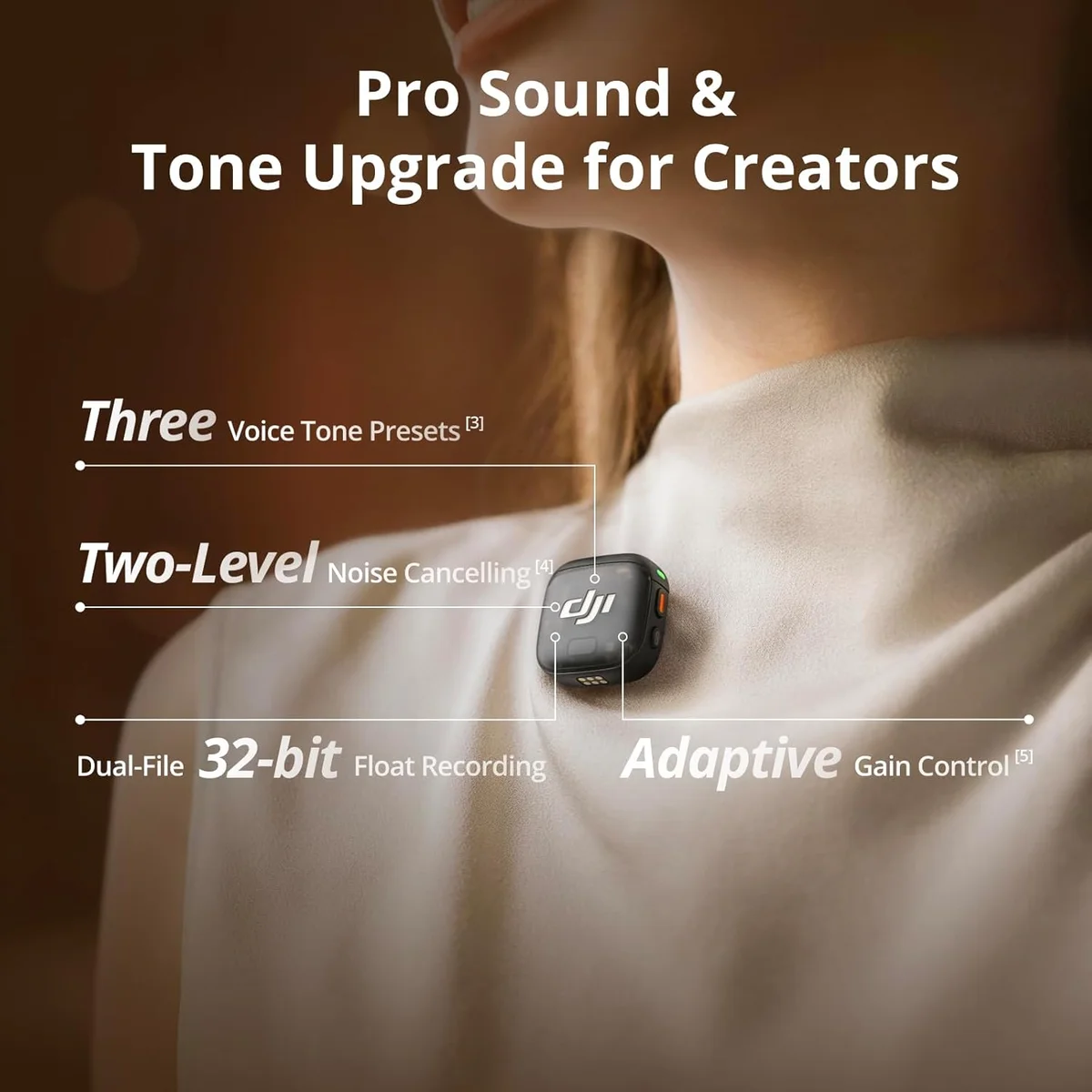
32-bit float recording removes that ceiling. The dynamic range is so enormous (over 1,500 dB theoretically) that no real-world sound source can clip the recording. A baby screaming directly into the transmitter at point-blank range will not clip. You adjust the level after recording, in your editing software, and the audio sounds normal.
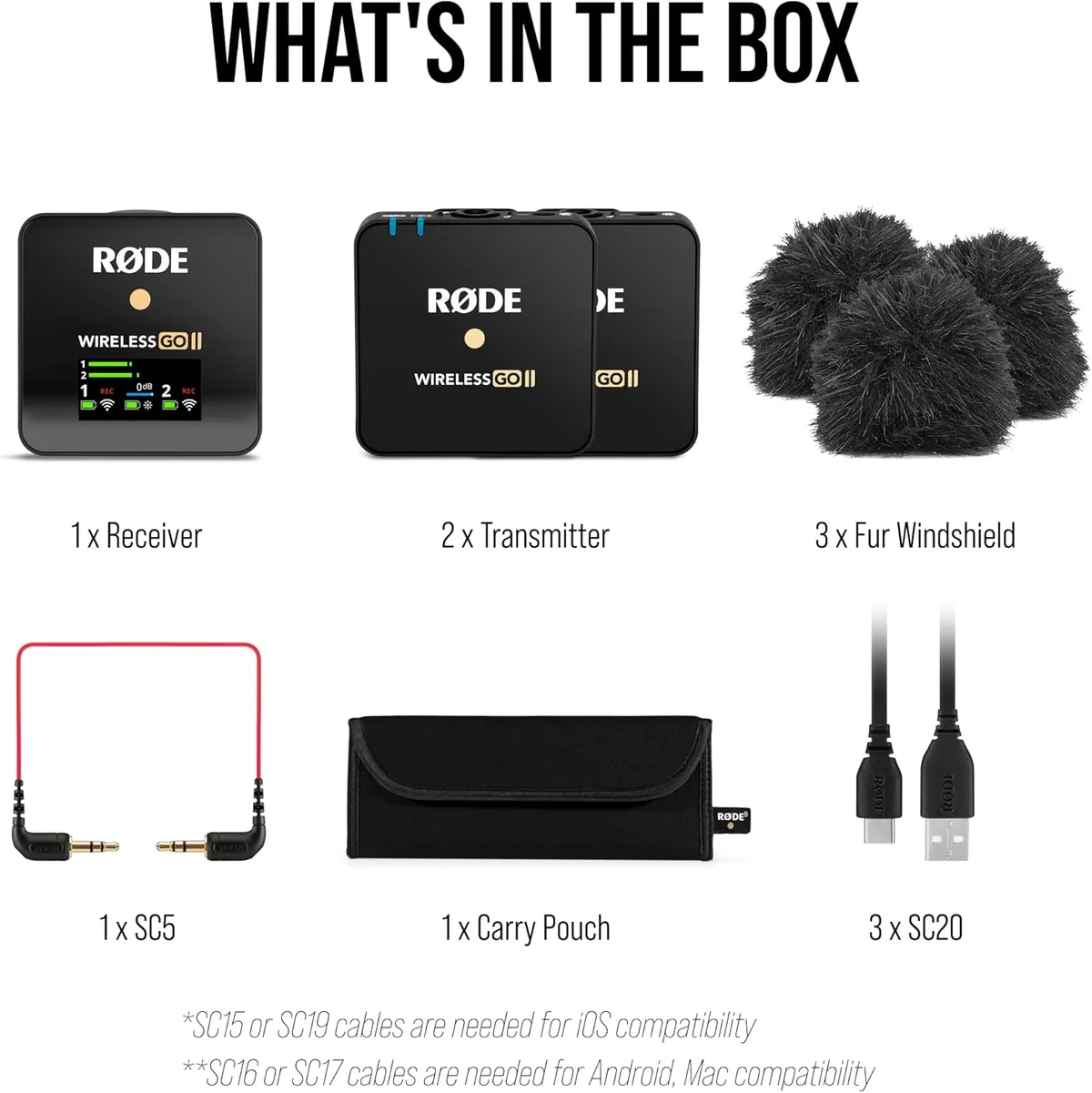
The DJI Mic 3 wireless system is the flagship 32-bit float option in our catalog, and it delivers on the promise. We have tested recordings with gain pushed far beyond normal levels, and the audio remained clean after level adjustment in post. The Rode Wireless Go II broadcast wireless records at 24-bit — still professional grade, but you need to set levels correctly before shooting.
Most creators will never clip a recording badly enough to need 32-bit rescue.
The honest assessment: 32-bit float matters most for unpredictable environments. Weddings, live events, run-and-gun documentary work, street interviews — any situation where you cannot rehearse the audio levels beforehand. For controlled recordings where you set gain once and monitor throughout, 24-bit is more than sufficient.
Battery Life: The Real-World Numbers
Manufacturer battery claims are measured in ideal conditions — fully charged, moderate temperature, no noise cancellation, transmitter recording disabled. Real-world usage shaves 15-30% off those numbers. We track both claimed and user-reported battery life across every wireless mic in our testing database.
| System | Claimed (Transmitter) | Real-World Estimate | With Case Recharges |
|---|---|---|---|
| Hollyland Lark A1 | 10 hr | ~7-8 hr | 54 hr total system |
| DJI Mic Mini | 8 hr | ~6-7 hr | 48 hr total system |
| Hollyland Lark M2 | 9 hr | ~7-8 hr | 36 hr total system |
| Rode Wireless Go II | 7 hr | ~5-6 hr | No charging case |
| DJI Mic 3 | 6 hr | ~4.5-5 hr | 18 hr total system |
| Wireless Lav 2-Pack | 4 hr | ~3 hr | No charging case |
Two patterns stand out. First, the professional tier actually has shorter per-charge transmitter life because 32-bit float recording and onboard storage consume more power. The DJI Mic 3 lasts roughly 4.5-5 hours in real use — shorter than budget options. The charging case compensates, but you are swapping transmitters between takes on a full day of shooting.
Second, the Hollyland Lark A1 wireless lavalier has by far the best total system endurance. Its charging case holds enough juice for 54 hours of combined use. For creators who shoot all day and forget to charge equipment, that endurance margin is a genuine advantage that separates it from every other budget option.
Noise Cancellation in Wireless Mics
Most wireless mics above the budget tier include some form of software-based noise cancellation. The marketing makes it sound like a universal upgrade. The reality is more nuanced — noise cancellation in a tiny clip-on transmitter behaves very differently than noise cancellation in over-ear headphones.
Wireless mic noise cancellation targets environmental sounds: wind, traffic, HVAC hum, crowd murmur. It works by identifying patterns that differ from human speech frequencies and suppressing them in real time. When it works well, outdoor audio sounds noticeably cleaner. When it over-corrects, voices take on a hollow, processed quality that experienced listeners immediately notice.
- Outdoor filming with steady wind
- Indoor spaces with loud HVAC
- Street-level traffic noise
- Consistent background hum from machinery
- Quiet indoor environments (adds artifacts)
- Musical performances (kills overtones)
- Soft-spoken subjects (aggressive gating)
- Environments with variable noise (constant pumping)
The Lark M2 vs DJI Mic Mini comparison shows this tension in detail. Both include noise cancellation, both let you toggle it, and both produce noticeably different audio with it enabled versus disabled. We recommend leaving noise cancellation off by default and enabling it only in loud environments.
The Internal Recording Safety Net
Wireless audio transmission can fail. Walls attenuate the 2.4 GHz signal. Other devices cause interference. Receivers occasionally drop connection for a fraction of a second. Most of the time, these glitches are inaudible or produce a brief click. Sometimes, they destroy an entire take.
Internal recording — where the transmitter stores its own copy of the audio on built-in memory — is the insurance policy against wireless failure. The transmitter records a pristine, uncompressed audio file regardless of what the wireless link does. If the transmitted audio stutters, you sync the internal recording in your editor and the problem disappears.
Which systems have it? The Rode Wireless Go II dual wireless stores up to 40 hours of compressed audio internally. The DJI Mic 3 32-bit float system records uncompressed 32-bit float files onboard. The DJI Mic Mini, despite being a DJI product, does not include internal recording — a cost-reduction decision that separates the entry-level DJI from the professional tier.
Range Claims vs Reality
Every wireless mic box shows a range number. The DJI Mic 3 claims 400 meters. The Rode Wireless Go II claims 200 meters. Budget lavaliers claim 15-30 meters. These numbers are measured in open-air, line-of-sight conditions with no interference sources.
Real-world indoor range is 20-50% of the claimed figure. Walls, furniture, and other 2.4 GHz devices (Wi-Fi routers, Bluetooth speakers, microwaves) all degrade the signal. We have compiled indoor range estimates based on user reports and our testing across different environments.
The practical takeaway: for indoor work in a house or small studio, every wireless system above the budget tier will reach anywhere you need it. Range only becomes a factor for outdoor, long-distance shoots — conference stages, large event venues, outdoor documentary work. If those are your scenarios, the DJI Mic 3 and Lark M2 have the RF headroom to handle them. Our wired vs wireless microphone guide covers the full comparison between cable reliability and wireless freedom.
Matched by Use Case
We have tested and analyzed every wireless mic in our catalog. Here is where each one fits — based on what we know about real-world user patterns, not marketing copy.
The Budget Wireless Trap
We need to be blunt about sub-entry-tier wireless lavs.
The market below the entry tier is flooded with products that look functional in marketing photos but disappoint in practice.
The sub-entry-tier wireless lavs — the ones priced between rock-bottom and the budget ceiling — share common problems that user reviews document repeatedly. Bluetooth-like connection drops. Audible hiss in quiet environments. Plastic construction that cracks if you drop it once. Receivers that work with some phone models but not others. Battery life that degrades after a few months of regular charging.
Budget lavs using low-power 2.4 GHz modules lose connection at 5-10 meters indoors. Step into another room or turn a corner, and the audio cuts out. Professional systems maintain stable connection through multiple walls.
Zero budget lavs include internal recording. Every audio dropout is permanent. On a professional system, you recover the backup file. On a budget lav, you reshoot — or accept the gap.
Cheap analog-to-digital converters and minimal shielding produce a constant background hiss. Audible in quiet recordings. Partially fixable with noise reduction software, but the processed artifacts are often worse than the original hiss.
Many budget lavs ship with a single connector type and no adapter. The MAYBESTA wireless lavalier has documented durability issues, and the Labstandard wireless lavalier sits at the absolute bottom tier of our testing. Receiver compatibility with different phone and camera models is inconsistent.
Does that mean every budget wireless lav is garbage? No. The Lark A1 vs Mini Mic Pro comparison shows that even at the entry level, there is a measurable quality difference between products. The Hollyland Lark A1 budget wireless mic punches above its weight class because Hollyland applies the same RF engineering from their professional systems to the budget line. It is the one sub-entry-tier option we recommend with no major caveats.

Size and Weight: The Invisible Spec
Wireless transmitters clip to clothing. Their weight and size determine whether your subject forgets they are wearing a mic or constantly adjusts it. This spec rarely makes it into marketing headlines, but it directly affects usability for on-camera talent.
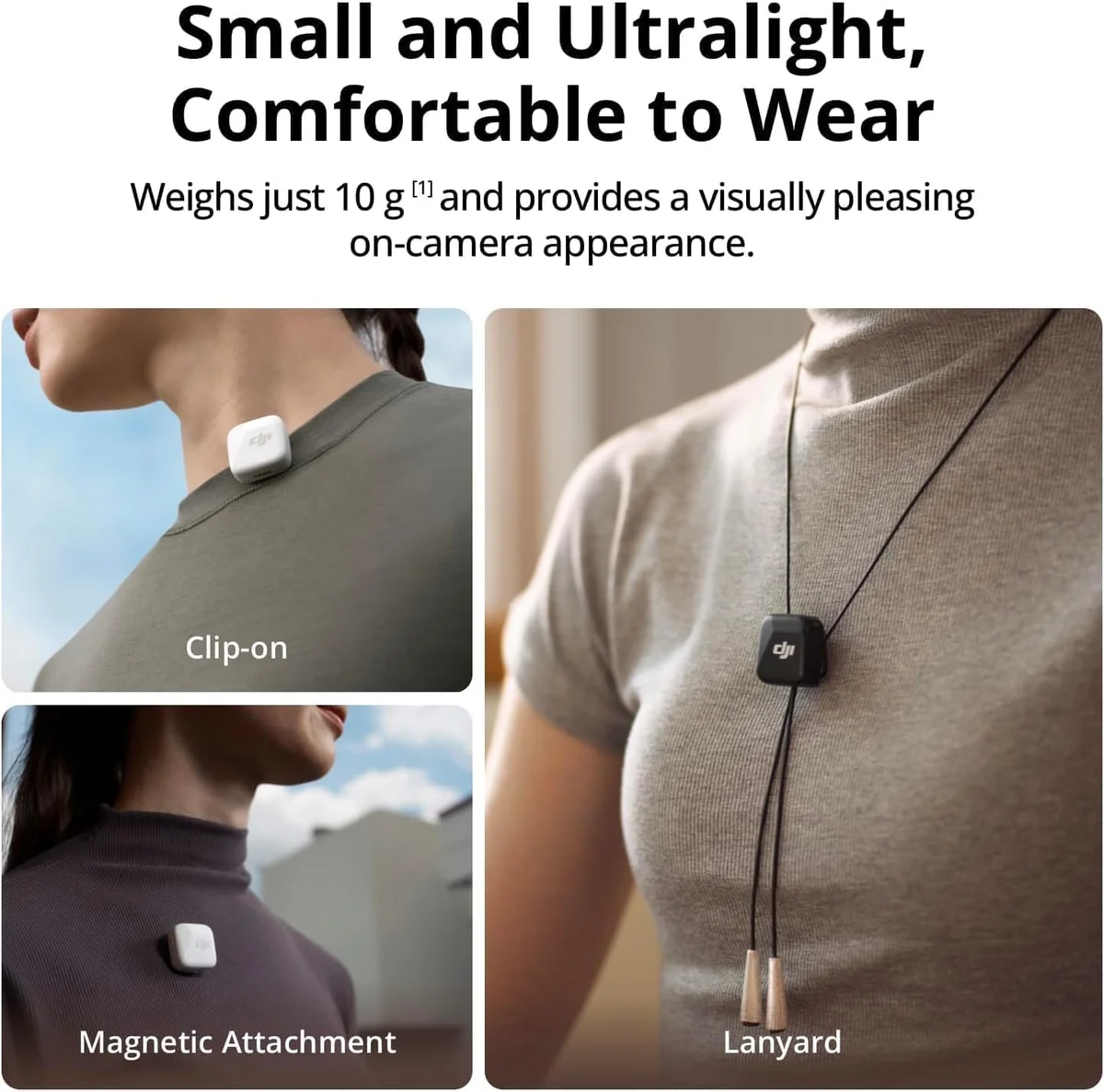
The Rode Wireless Go II is the heaviest system in our testing — 30 grams per transmitter. On a sturdy jacket lapel, that is invisible. On a lightweight silk blouse or t-shirt, it visibly pulls the fabric down and the mic drifts during movement. The Hollyland Lark M2 and Hollyland Lark A1 solve this at 9g and 8g respectively — small enough to hide under a collar without any visible bulge or fabric distortion.
Weight is the spec that matters most for on-camera comfort.
For interview work where subjects are not accustomed to wearing microphones, transmitter weight determines whether the mic stays put or slowly slides down a shirt front over a 20-minute conversation. A lightweight system that stays in place produces better audio than a heavier one that requires constant adjustment.
Connectivity: Phone, Camera, or Both?
Not every wireless mic connects to every device. The receiver determines compatibility, and different systems take different approaches to the connector problem.
Plugs into iPhone 15+, Android phones, iPads, laptops, and cameras with USB-C input. The universal standard going forward. The DJI Mic 3 professional wireless and Hollyland Lark M2 wireless both include USB-C receivers.
Plugs into camera mic inputs and older phones with headphone jacks. The most universally compatible option for camera work. Budget lavs frequently use this connector. Watch for TRS vs TRRS — cameras need TRS, phones need TRRS, and using the wrong one produces mono or no audio.
iPhone 14 and earlier. Being phased out by Apple. Some systems include both Lightning and USB-C adapters. If you are buying a wireless system today and own an older iPhone, confirm Lightning compatibility before purchasing.
The safest approach: buy a system with multiple receiver options or adapters included. Both DJI systems and the Hollyland Lark M2 ship with adapters for the most common connection types. Budget lavs typically include only one connector.
Our Top Pick for Wireless Audio
Compare Top Picks
Frequently Asked Questions
Do wireless mics work with iPhones?
Most modern wireless systems ship with a Lightning or USB-C adapter, or both. The DJI Mic 3, Hollyland Lark M2, and DJI Mic Mini all include USB-C receivers that plug directly into iPhone 15 and newer. Older iPhones with Lightning connectors need either a system that ships with a Lightning adapter or a separate USB-C to Lightning dongle. Check receiver compatibility before buying — not all budget systems include smartphone adapters.
How far do wireless mics actually work?
Indoors, cut the claimed range by 50-80%. A system advertising 300 meters will give you 60-150 meters in an open field and 20-50 meters inside a building with walls. Budget systems under the entry tier often drop signal at 10-15 meters indoors. For indoor shooting, range is rarely the limiting factor — interference from Wi-Fi routers, Bluetooth devices, and other 2.4 GHz equipment matters more than raw distance.
Is 32-bit float recording worth the extra cost?
For unpredictable environments, yes. 32-bit float captures a dynamic range so wide that clipping becomes impossible — you can rescue audio that would be permanently distorted on a 24-bit or 16-bit recorder. If you shoot interviews, events, or any scenario where volume levels fluctuate without warning, 32-bit float is genuine insurance. If you record in controlled settings where you set levels beforehand, you will not hear a difference.
Can cheap wireless mics sound good?
They can sound acceptable for social media content. Budget wireless lavaliers produce audio that beats any built-in camera or phone mic. But they come with compromises: shorter range, higher noise floors, weaker RF signal stability, and limited battery life. For TikTok, Instagram Reels, and casual YouTube content, the audio quality from a sub-entry-tier wireless lav is fine. For professional work, podcasting, or long-form video, spend more.
Single-channel or dual-channel wireless?
Dual-channel if you ever interview anyone. A dual-channel system records two separate audio tracks from two transmitters simultaneously, which means you can adjust each voice independently in post. Single-channel is cheaper and simpler, but the moment you need a second voice, you will wish you had spent the extra money. The Rode Wireless Go II and DJI Mic 3 both offer dual-channel recording.
Why do some wireless mics have internal recording?
Internal recording is a safety net. If the wireless signal drops, stutters, or clips, the transmitter has its own backup recording stored on a built-in memory chip. You recover the audio in post by syncing the internal file with your camera timeline. The Rode Wireless Go II and DJI Mic 3 both include onboard recording. Budget systems do not — if the signal drops, that audio is gone.
Our Top Recommendation
Based on our research, the Lark M2 is our top pick — solo content creators and casual videographers who need a lightweight, affordable wireless mic system for smartphone and camera use..
Get Our Top 3 Picks
Get our top 3 picks for your budget — one email, then only updates.
Only when something changes. Unsubscribe anytime.