Same Category, Different Decades
Neither mic wins outright. The QuadCast S is the modern streaming pick — lighter, USB-C, RGB, tap-to-mute, built-in shock mount. The Blue Yeti is the proven audio workhorse — Blue VO!CE processing, lower price, a decade of community knowledge. Both are condensers that struggle equally with background noise in untreated rooms.
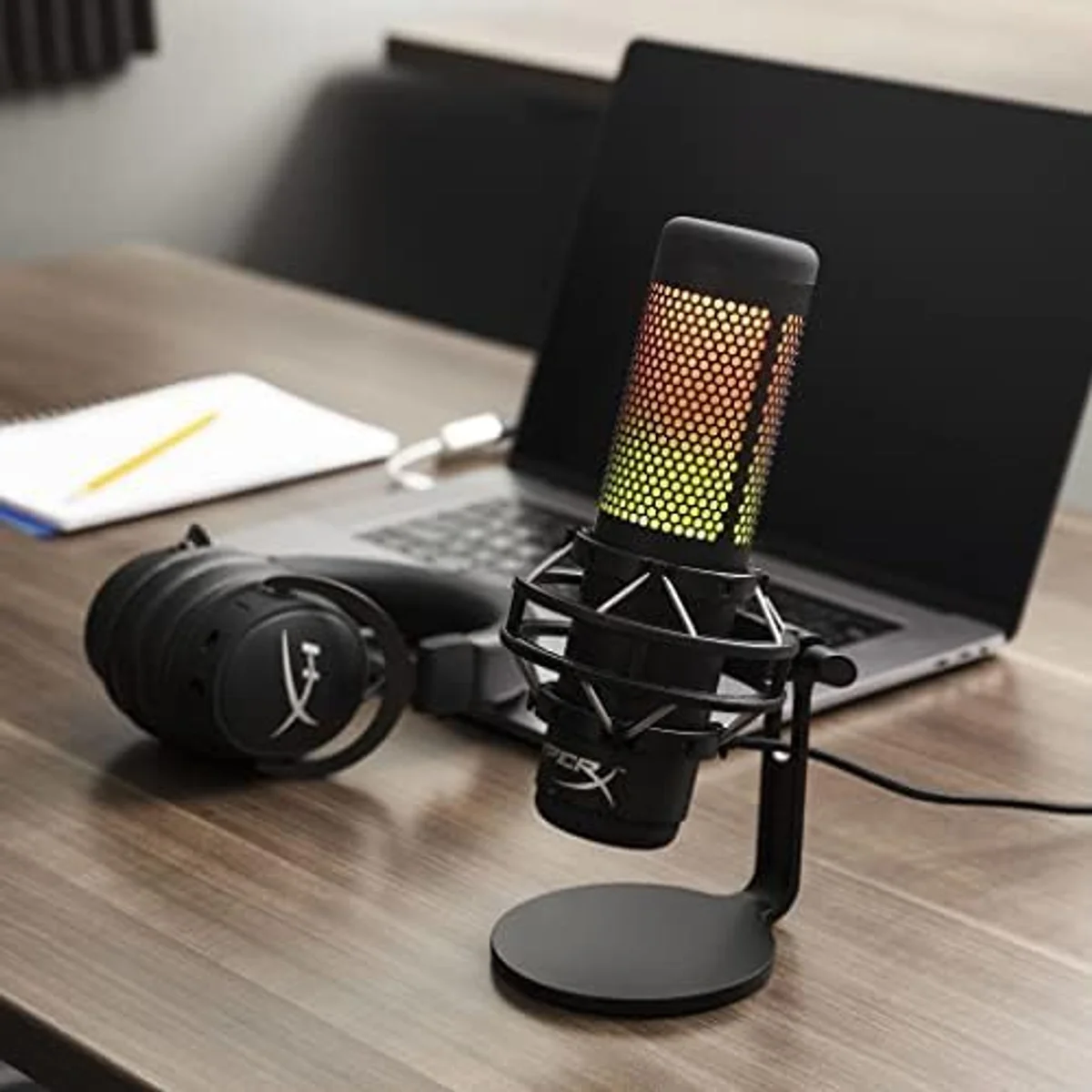
QuadCast S
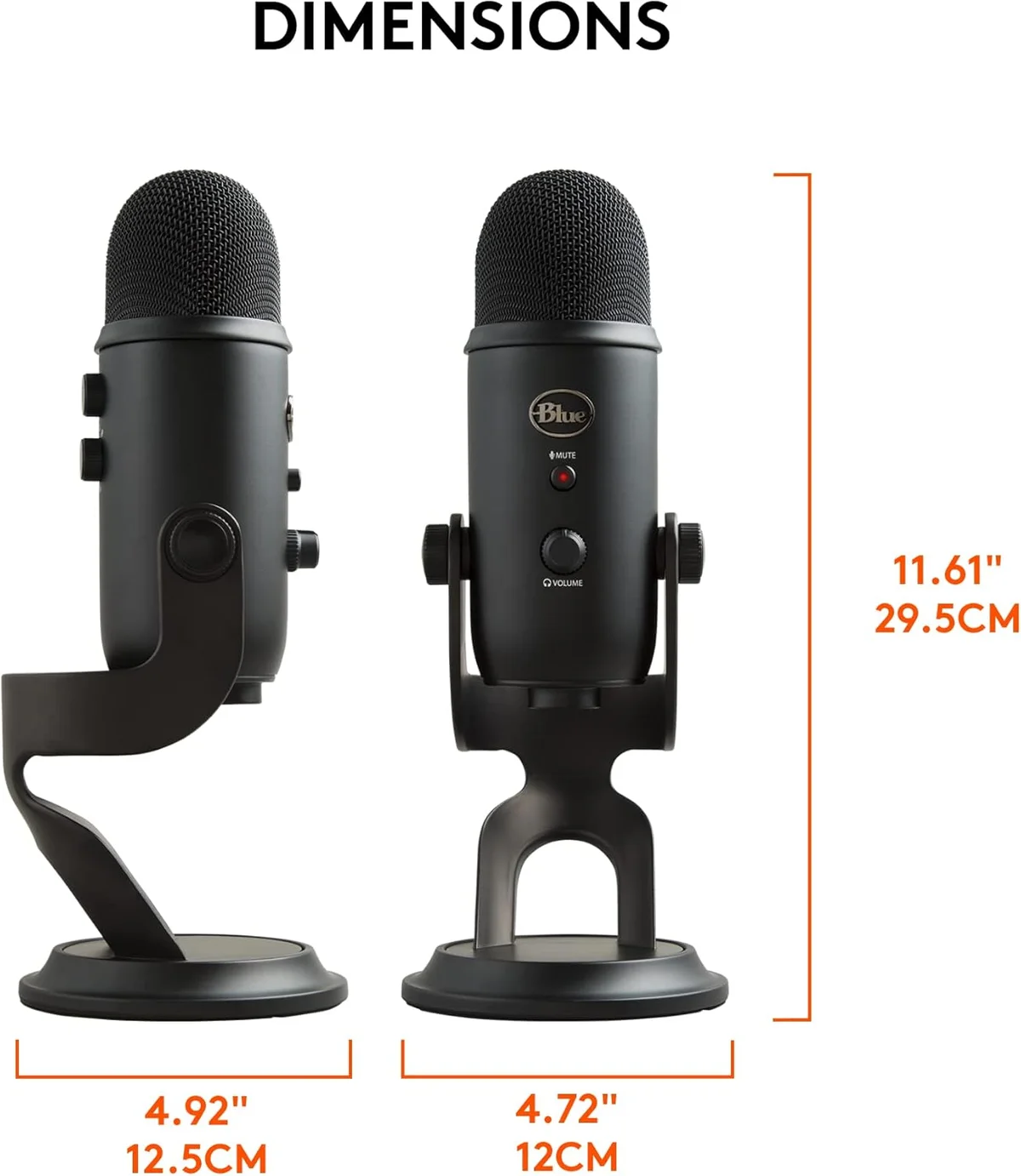
Blue Yeti
The QuadCast S and the Blue Yeti share a spec sheet that reads like a mirror: four polar patterns, condenser capsules, 48 kHz/16-bit recording, 20 Hz–20 kHz frequency response, onboard gain control, headphone monitoring. No other USB microphone pair at this price tier shares this many core specifications. The QuadCast S at $100–$250 costs modestly more expensive compared to the Yeti at $100–$250 — a gap tight enough to make this decision about features and priorities rather than budget constraints.
What separates them is generation and intent. The Blue Yeti arrived in 2009 and defined what a USB microphone could be — it was the mic that launched thousands of YouTube channels and podcast feeds before podcasting had mainstream infrastructure. The QuadCast S arrived a decade later, designed for the gaming and streaming audience that grew up using Yetis and wanted something purpose-built for camera presence and RGB desk aesthetics. Same fundamental capability, different design philosophies, different eras of creator culture.
Both products appear in our USB microphone roundup. The QuadCast S also features in our QuadCast S vs Wave:3 streaming comparison, covering the streaming condenser tier in detail. The Blue Yeti appears in our MV7+ vs Blue Yeti and Yeti vs FIFINE AM8 comparisons — the two most common upgrade and sidegrade paths from Yeti owners. Our polar patterns guide explains the four modes both mics share and when each one matters. Our buying guide covers the full product range.
QuadCast SBlue YetiAt a Glance
| Feature | HyperX QuadCast S | Blue Yeti USB Microphone |
|---|---|---|
| Price Range | $100–$250 | $100–$250 |
| Type | Condenser (three 14mm capsules) | Condenser (tri-capsule) |
| Polar Pattern | Cardioid, Bidirectional, Omnidirectional, Stereo | Cardioid, Bidirectional, Omnidirectional, Stereo |
| Frequency Response | 20 Hz – 20 kHz | 20 Hz – 20 kHz |
| Sample Rate | 48 kHz / 16-bit | 48 kHz / 16-bit |
| Max SPL | — | 120 dB |
| Connectivity | USB-C | USB |
| Weight | 0.57 lbs | 1.2 lbs (mic) + 2.2 lbs (stand) |
| See Current Price | See Current Price |
Sound Profile: Two Condensers, One Frequency Range
Both mics capture audio across the same 20 Hz–20 kHz frequency range at 48 kHz/16-bit resolution. The Blue Yeti uses a proprietary tri-capsule array — three condenser capsules arranged to capture all four polar patterns from a single housing. The QuadCast S uses three 14mm condenser capsules in a similar multi-capsule configuration. The fundamental audio capture mechanism is identical: condenser diaphragms that vibrate in response to sound pressure changes, converting acoustic energy into an electrical signal.
In direct A/B recording at matching distances and room conditions, the differences are subtle. The Yeti produces slightly warmer low-mids with more body in the 200–500 Hz range — a characteristic of its tri-capsule design that adds natural richness to lower-pitched voices. The QuadCast S produces a slightly brighter upper-midrange presence around 3–6 kHz that helps higher-pitched voices and female speakers cut through a mix more clearly. Neither profile is objectively better; both are flattering for voice recording in their own way.
After platform compression — YouTube at 128 kbps AAC, Twitch at 160 kbps Opus, podcast feeds at 128 kbps MP3 — the subtle tonal differences between these mics compress to a margin that requires studio headphones and focused A/B comparison to detect. On AirPods, laptop speakers, or gaming headsets, listeners will not notice a difference between a QuadCast S recording and a Blue Yeti recording of the same voice at the same distance in the same room.
The Shared Condenser Weakness
Here's the thing: both of these mics pick up everything. Mechanical keyboard clicks from 3 feet away, HVAC hum through a closed vent, a roommate closing a door two rooms over, traffic through a window — condenser capsules capture detail indiscriminately. They cannot distinguish between the detail you want (your voice) and the detail you don't (everything else in the room). This is the fundamental limitation of every condenser microphone at every price point, and both the QuadCast S and Blue Yeti share it equally at the hardware level.
The Blue Yeti has one mitigation the QuadCast S lacks: Blue VO!CE software includes a noise reduction processor that suppresses steady-state background noise — fan hum, HVAC drone, electrical buzz, the constant ambience of a room. It does not eliminate transient noise (keyboard clicks, door slams, coughs), but it reduces the constant noise floor between sentences. The QuadCast S has no audio processing software at all. NGENUITY controls only RGB lighting — nothing related to the audio signal. If you record in a room with constant ambient noise, the Yeti's software provides a functional advantage that the QuadCast S cannot replicate through any built-in tool.
The QuadCast S counters with physical noise mitigation. The built-in elastic shock mount absorbs desk vibrations and handling noise — the kind of low-frequency thump and rumble that the Yeti's rigid stand transmits directly to its capsule with zero absorption. The internal pop filter catches plosive consonants more effectively than the Yeti's weaker internal filtering. These physical features address specific noise types but do nothing about the room-level ambient noise sensitivity that both condensers share as a category trait.
If background noise is your primary recording problem, both mics are the wrong category — a dynamic mic like the Samson Q2U or Rode PodMic USB solves the problem at the hardware level through capsule physics, not software processing.
Physical Controls and Daily Interaction
The QuadCast S tap-to-mute is the best quick-mute mechanism on any microphone in our catalog. Tap the top of the mic body — the LED ring switches instantly from green to red, audio cuts with zero latency, zero mechanical noise enters the recording. During live streams when a doorbell rings, a phone buzzes, or you need to cough, the capacitive tap is faster and quieter than any physical button on any mic we test. The Yeti's mute requires a firm press of a recessed button on the front face. It works reliably, but the button has enough travel and mechanical resistance that pressing it can generate a low-frequency thump the condenser capsule picks up — audible in quiet recordings and noticeable during streams with low background music.
Both mics have onboard gain dials. The Yeti's gain knob sits on the mic's rear — accessible but not visible during face-on recording. The QuadCast S gain dial sits on the bottom of the mic body, below the shock mount cradle. Both require reaching during recording, which introduces handling noise on both units (though the QuadCast S shock mount absorbs more of it). Gain gets set once during initial setup and rarely needs mid-session adjustment — neither placement is a daily workflow concern.
Both offer 3.5mm headphone monitoring jacks with real-time audio playback. The Yeti includes a dedicated headphone volume knob on the front face — physical control of monitoring level without touching system audio settings. The QuadCast S headphone output level is controlled through system volume only, with no dedicated hardware adjustment. For creators who change monitoring volume during sessions — checking for room noise, confirming gain staging, listening back for audio artifacts — the Yeti's dedicated headphone knob is a practical convenience the QuadCast S lacks.
Polar pattern selection happens via physical dials on both mics — rear-mounted on the Yeti, bottom-mounted on the QuadCast S. Both switch patterns without software and without visible indicators from the front — you learn the click positions or check the rear/bottom of the mic body.
Visual Design and Camera Presence
The QuadCast S was designed to be seen on camera. The RGB diffusion ring wraps around the mesh grille with per-zone lighting customizable through HyperX NGENUITY — static colors, breathing effects, gradient cycles, reactive patterns triggered by audio input. On a Twitch stream with a facecam, the glowing mic adds immediate visual production value that reads as a deliberate gear investment rather than a utility tool. The RGB output is bright enough to softly illuminate the desk area and remains visible in camera footage even in well-lit rooms. For content where the desk setup IS part of the content — gaming streams, tech reviews, setup tours — the QuadCast S is an aesthetic statement.
The Blue Yeti was designed to record audio. The brushed metal finish (midnight blue, silver, or blackout depending on edition) is understated and professional. No lights, no glow, no animation. On camera, the Yeti reads as a solid, serious recording tool — appropriate for podcast video, voiceover sessions, and professional content where audio gear should be present but not prominent. For streaming and gaming content where the mic is a visual element of the frame, the Yeti contributes nothing to the visual production.
One reported downside: the QuadCast S RGB diffusion ring can throw visible reflections on glossy monitors positioned directly behind the mic. NGENUITY allows dimming or fully disabling the RGB if reflections become distracting during long sessions.
Software: Blue VO!CE vs NGENUITY
This is the Yeti's strongest single advantage, and the gap is wider than most comparison shoppers expect. Blue VO!CE provides real audio processing: a noise gate, de-esser, compressor, multi-band EQ, and preset voice profiles that process the audio signal before it reaches recording software. For creators working in imperfect rooms without external audio processing chains or DAW experience, Blue VO!CE transforms the Yeti from a raw condenser capture into a partially processed, broadcast-ready voice signal. The compressor alone — smoothing the volume difference between quiet asides and loud reactions — saves measurable post-production time on every recording session.
NGENUITY controls one thing: the RGB lighting. Color, pattern, brightness, and lighting zone assignments. Zero audio features. Zero noise processing. Zero EQ. Zero compression. The QuadCast S audio signal is completely unprocessed — whatever the condenser capsule captures is exactly what your recording software receives. For creators who process audio in a DAW or apply OBS audio filters, raw capture is preferable — processing happens downstream in tools they choose and control. For creators who want the mic itself to handle audio quality improvement without learning post-production tools, the QuadCast S offers nothing.
The practical gap is audible in direct comparison. A Blue Yeti recording with Blue VO!CE compression, noise gate, and EQ applied sounds like a processed broadcast-quality voice signal — tighter dynamic range, reduced room noise between sentences, flattering frequency balance. A QuadCast S recording at the same distance in the same room sounds like a raw condenser capture — full dynamic range, ambient room noise at the noise floor, whatever the capsule heard. The Yeti recording needs less post-production work. The QuadCast S recording gives more raw material for creators who prefer controlling their own processing chain.
Weight, Mounting, and Desk Footprint
The Blue Yeti weighs 3.4 pounds with its included stand — heavier than many 13-inch laptops. The zinc die-cast body and heavy base plate communicate quality through mass, but they dominate desk real estate. The included stand provides zero shock absorption, so every desk tap, mouse bump, and elbow impact transmits directly into the condenser capsule as low-frequency rumble. A boom arm is close to mandatory for the Yeti in practice. The weight demands an arm rated for 2+ pounds, which adds $30–50 to the total cost and narrows the field of compatible arms.
The QuadCast S weighs 0.57 pounds — less than a sixth of the Yeti's total weight. The built-in elastic shock mount absorbs desk vibration without external hardware. The included anti-vibration stand holds the mic securely in a compact footprint. The QuadCast S works acceptably on its included stand in a way the Yeti simply does not — the shock mount handles desk-transmitted rumble that the Yeti's rigid stand passes through unfiltered. A boom arm still improves QuadCast S positioning, but the urgency is lower because the included setup already mitigates the worst desk vibration scenarios.
For small desks, laptop-adjacent recording setups, and portable rigs: the QuadCast S weight and size advantage is material and daily-relevant. For permanent studio desks with dedicated boom arm mounts: the weight difference matters less because neither mic sits on the desk surface during actual recording.
Connectivity and Console Compatibility
The QuadCast S connects via USB-C — the connector that modern laptops, tablets, and phones all share. No adapters needed for MacBooks, recent Windows ultrabooks, iPads, or Android devices with USB-C ports. USB-C is both the current and foreseeable future of peripheral connectivity for the next decade.
The Blue Yeti connects via a mini-USB to USB-A cable — a legacy connector pairing. MacBook Air, MacBook Pro (2016 and later), and most Windows ultrabooks manufactured after 2020 require a USB-C to USB-A adapter or hub to plug in the Yeti. The adapter adds cost, cable clutter, and a potential point of connection failure that USB-C avoids entirely.
For gaming consoles: the QuadCast S works natively with PlayStation 5 via USB-C. The Blue Yeti works with PS4 and PS5 through USB-A directly or via adapter.
Neither mic works with Xbox consoles — Xbox requires specific certified audio peripherals, not standard USB microphones.
Total Cost After Accessories
The QuadCast S at $100–$250 costs modestly more expensive compared to the Blue Yeti at $100–$250. The sticker price gap is small enough that it should not drive the decision alone — both land in the same general budget tier.
However, total cost of ownership tells a different story. The QuadCast S ships with a built-in shock mount and pop filter — accessories the Yeti needs purchased separately for equivalent physical noise protection. A third-party shock mount for the Yeti runs $20–40, an external pop filter $10–15. Adding both raises the Yeti's effective cost above the QuadCast S while closing the physical noise mitigation gap. A boom arm benefits both mics but is functionally mandatory for the Yeti (3.4 lbs, no shock absorption, desk-transmitted vibration) — budget $30–50 for a compatible arm.
Total setup cost for the QuadCast S: the mic itself and nothing else required. Total setup cost for a comparably equipped Blue Yeti: mic plus shock mount plus pop filter ($130–160), and realistically a boom arm ($160–210 total). The Yeti's lower sticker price masks a higher total investment when you account for the accessories that bring it to feature parity on physical noise handling. The Yeti's Blue VO!CE software — free and included — partially compensates by addressing noise at the software level rather than the hardware level, which is a valid alternative approach to the same problem.
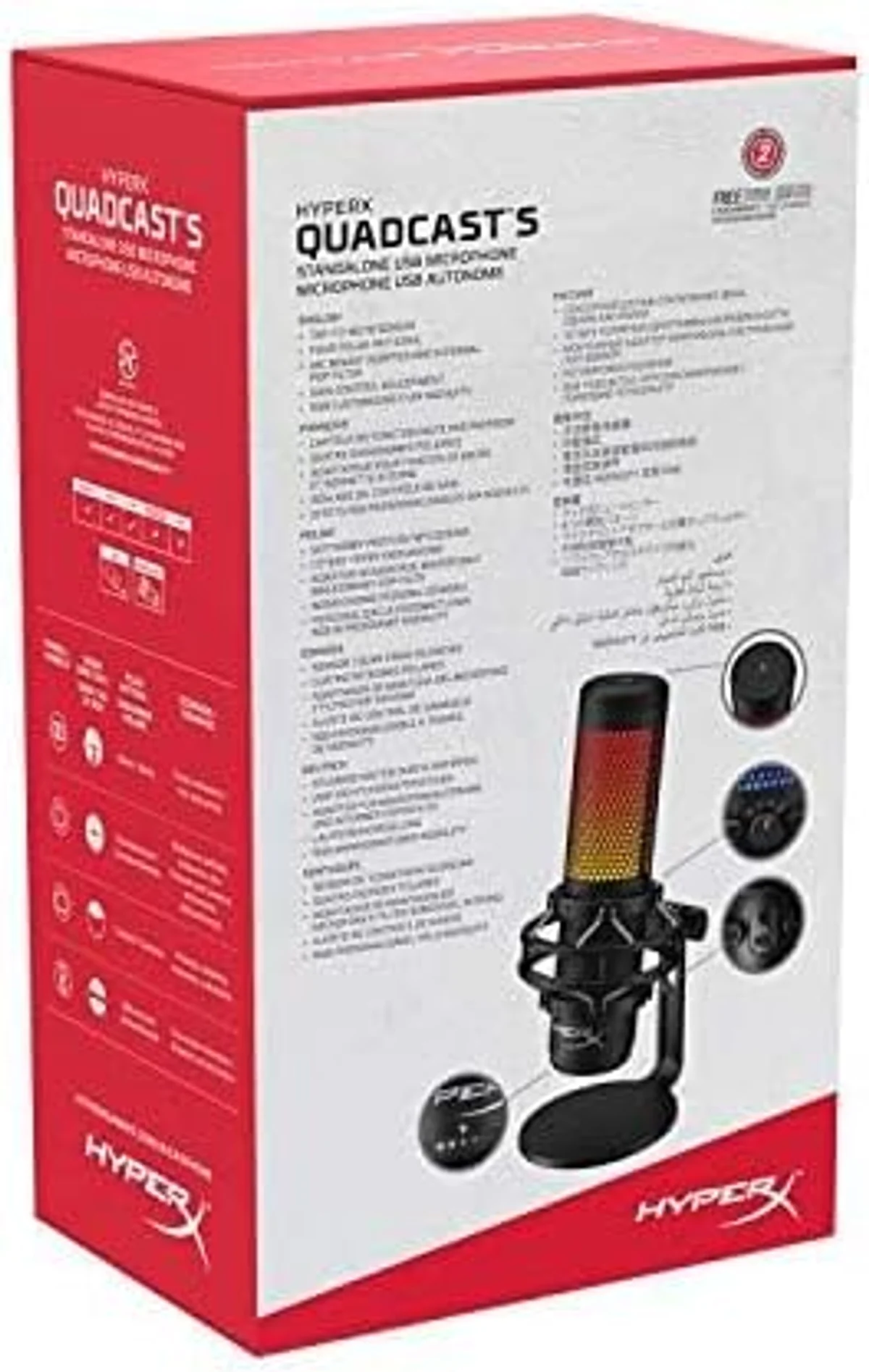 QuadCast S
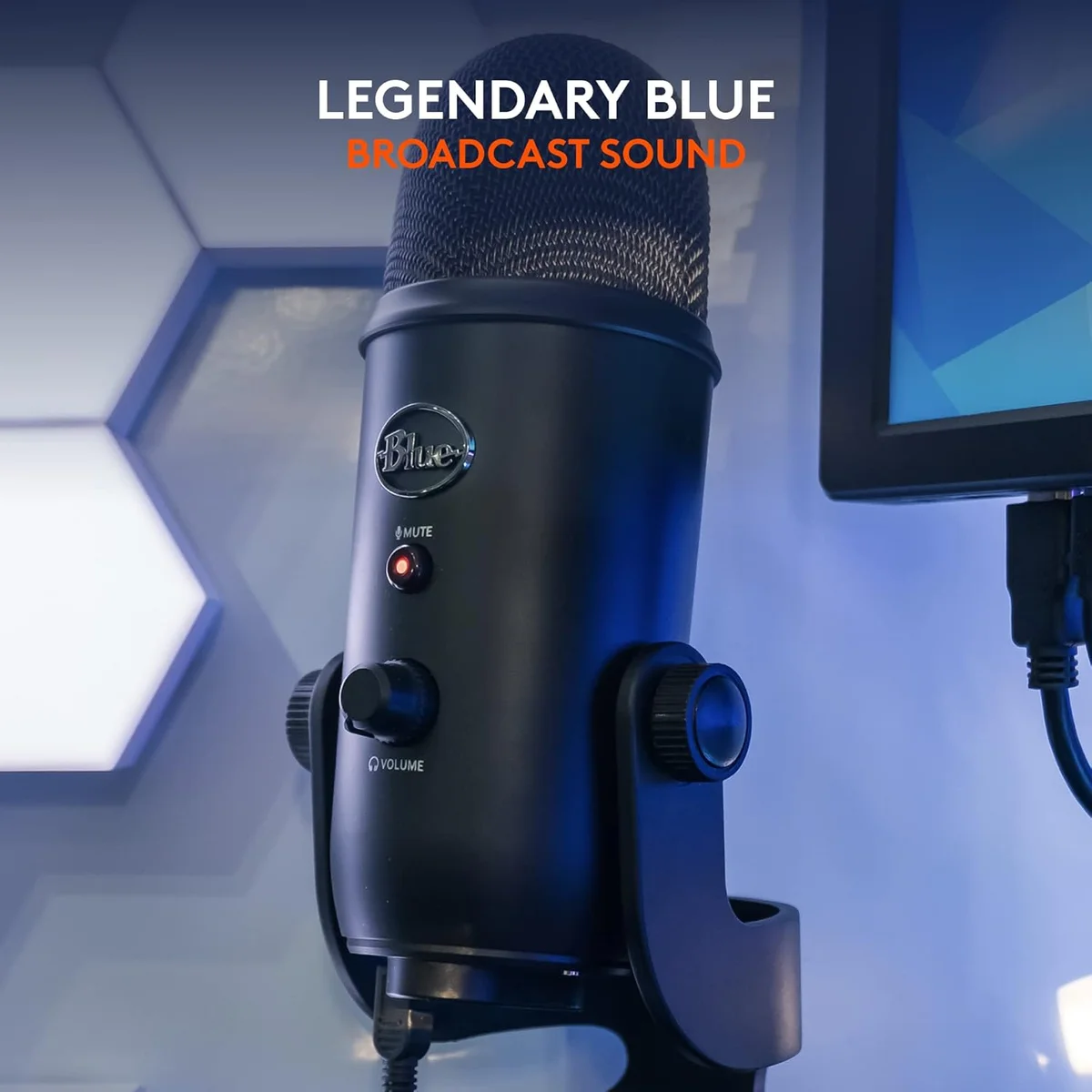 Blue Yeti
Four Patterns, Two Philosophies
Get the HyperX QuadCast S If...
- You stream or create gaming content where the mic is visible on camera — the RGB adds visual production value that the Yeti cannot match at any software setting
- Tap-to-mute during live content matters to your workflow — the capacitive touch mute is faster, quieter, and produces zero handling noise compared to the Yeti's mechanical button
- You want a complete mic out of the box without purchasing a separate shock mount and pop filter
- USB-C connectivity matches your current hardware setup and you want to skip the adapter dependency that the Yeti's USB-A connection requires on modern laptops
- Desk space is constrained — the QuadCast S at 0.57 lbs is a fraction of the Yeti's 3.4-lb footprint
Get the Blue Yeti If...
- Blue VO!CE audio processing matters more than RGB aesthetics — compression, noise reduction, de-essing, and multi-band EQ give the Yeti a real audio quality advantage the QuadCast S cannot match through any built-in tool
- You record in stereo mode for ASMR or spatial audio content — the Yeti's stereo pattern implementation has a decade of ASMR community validation and proven recording techniques
- A dedicated headphone volume knob on the mic body is useful for adjusting monitoring levels mid-session without reaching for system audio controls
- The massive existing community — tutorials, troubleshooting threads, compatible accessories, forum answers to every conceivable setup question — provides value as a learning resource for first-time creators
- You already own a compatible boom arm and shock mount from a previous mic, eliminating the accessory cost gap entirely
For streamers building a gaming setup where the mic is part of the visual presentation: the QuadCast S is the better fit. The RGB, USB-C, tap-to-mute, built-in shock mount, and lighter weight serve the streaming use case directly. The Yeti captures the same audio at the capsule level, but without the design elements that make the QuadCast S feel purpose-built for on-camera content production.
For podcasters, voiceover artists, and audio-first creators who care about the signal more than the appearance: the Blue Yeti is the stronger pick. Blue VO!CE is a real audio quality tool — compression, EQ, noise reduction, and de-essing built into free software — that saves post-production time and partially compensates for untreated recording spaces. The QuadCast S has no equivalent and offers no path to equivalent functionality through its own software stack.
Look, both mics share the condenser weakness that defines their category: background noise sensitivity. For creators in noisy environments — apartments with thin walls, shared spaces with foot traffic, rooms with clacking mechanical keyboards — a dynamic mic is the better category choice entirely. Our MV7+ vs Blue Yeti comparison covers the dynamic-vs-condenser decision for Yeti owners considering an upgrade. Our Yeti vs FIFINE AM8 comparison covers the sidegrade from condenser to dynamic at a similar price point. Our QuadCast S vs Wave:3 comparison covers the streaming condenser tier if the QuadCast S's lack of audio software is the sticking point — the Wave:3's Clipguard and Wave Link fill that gap with streaming-specific tools.
Both products appear in our USB microphone roundup — the QuadCast S as the gaming aesthetic pick, the Yeti as the four-pattern flexibility pick. Our dynamic vs condenser guide explains the capsule technology both products share and its implications for different recording environments. Our buying guide covers every mic category from budget wireless to premium dynamics.
QuadCast S vs Blue Yeti — The Details
Do the QuadCast S and Blue Yeti have the same polar patterns?
Identical four modes: cardioid, bidirectional, omnidirectional, stereo. Different capsule designs, same functional pickup behavior.
Which mic handles background noise better — QuadCast S or Blue Yeti?
Neither excels. Both are condensers with identical sensitivity to room noise, keyboard clicks, and HVAC hum. The Yeti has a slight edge because Blue VO!CE software includes noise reduction processing that the QuadCast S lacks entirely. But the hardware-level pickup is the same — both mics hear everything in the room.
Can the HyperX QuadCast S RGB lighting be turned off?
Yes. Open HyperX NGENUITY software, select the QuadCast S, and set the lighting to off. The mic functions identically with lighting disabled. Some users turn lights off for audio-only recording and on for video streams where the mic is visible on camera.
Is the Blue Yeti too old to buy in 2026?
The hardware design dates to 2009, but the audio quality and four-pattern flexibility remain competitive at the price tier. Where the Yeti shows its age is connectivity (USB-A instead of USB-C) and weight (3.4 lbs total with stand). Blue VO!CE software adds modern audio processing that keeps the Yeti relevant. The condenser sensitivity to background noise is a design-era limitation — but the QuadCast S shares that same limitation because it is also a condenser. The Yeti is worth buying if you want four patterns, Blue VO!CE processing, and proven reliability at a lower price than newer alternatives. It is not worth buying over a dynamic mic if background noise is your primary concern.
Track Both Products
We'll email you if either price drops or availability changes.
Only when something changes. Unsubscribe anytime.