Lark A1 Review 2026

The Hollyland Lark A1 is the gateway wireless microphone — the point where phone audio becomes content creator audio for the lowest possible investment.
This review is based on analysis of 13+ Amazon ratings, expert reviews, and comparison with products in the Wireless Microphones category. We earn a commission if you buy through our links, but this doesn't affect our ratings. Read our full methodology →
The Minimum Viable Mic
The Hollyland Lark A1 is the gateway wireless microphone — the product that converts "maybe someday" into "why wait any longer" for the lowest possible investment. The 48 kHz / 24-bit audio, 54-hour battery system, three-level noise cancellation, and Hollyland brand credibility at $25–$50 make it the easiest recommendation in our wireless microphone catalog. Thirteen reviewers confirm it works exactly as advertised.
Skip it if: you need onboard recording backup (no wireless mic at this price offers it), you need camera connectivity (the base kit is USB-C only), or you need reliable audio beyond 20 feet indoors. For those specific needs, the DJI Mic Mini and Hollyland Lark M2 are the natural next steps up. For everyone entering wireless audio for the first time — the Lark A1 is where the journey starts.
The Hollyland Lark A1 is the gateway wireless microphone — the point where phone audio becomes content creator audio for the lowest possible investment.
Best for: First-time content creators shooting on smartphones who want a massive audio upgrade from the built-in mic without spending much.
Overview
The Hollyland Lark A1 costs less than a restaurant meal for two. For that price, you get 48 kHz / 24-bit wireless audio, dual transmitters, three-level noise cancellation, and a 54-hour total battery system that lasts weeks between charges. The spec sheet at $25–$50 reads like a typo — and that dissonance between price and capability is the Lark A1's defining feature.
We analyzed 13 verified Amazon reviews (4.4 average, 100% verified purchase), cross-referenced with content creator forums and comparative assessments against other budget wireless systems. The review pattern is remarkably consistent: "easy" and "works" each appear in 54% of reviews, and "great" in 46%. The Lark A1 earns praise not for being extraordinary but for being exactly what it claims to be — functional wireless audio at a price that removes all purchasing hesitation.
Honestly, the Lark A1 is not competing with the Hollyland Lark M2 dual wireless system above it or the Rode Wireless Go II professional wireless two tiers up. It is competing with the decision to not buy a wireless mic at all. And at $25–$50, it wins that competition every time.

Key Specifications
48 kHz / 24-Bit at This Price Is the Headline
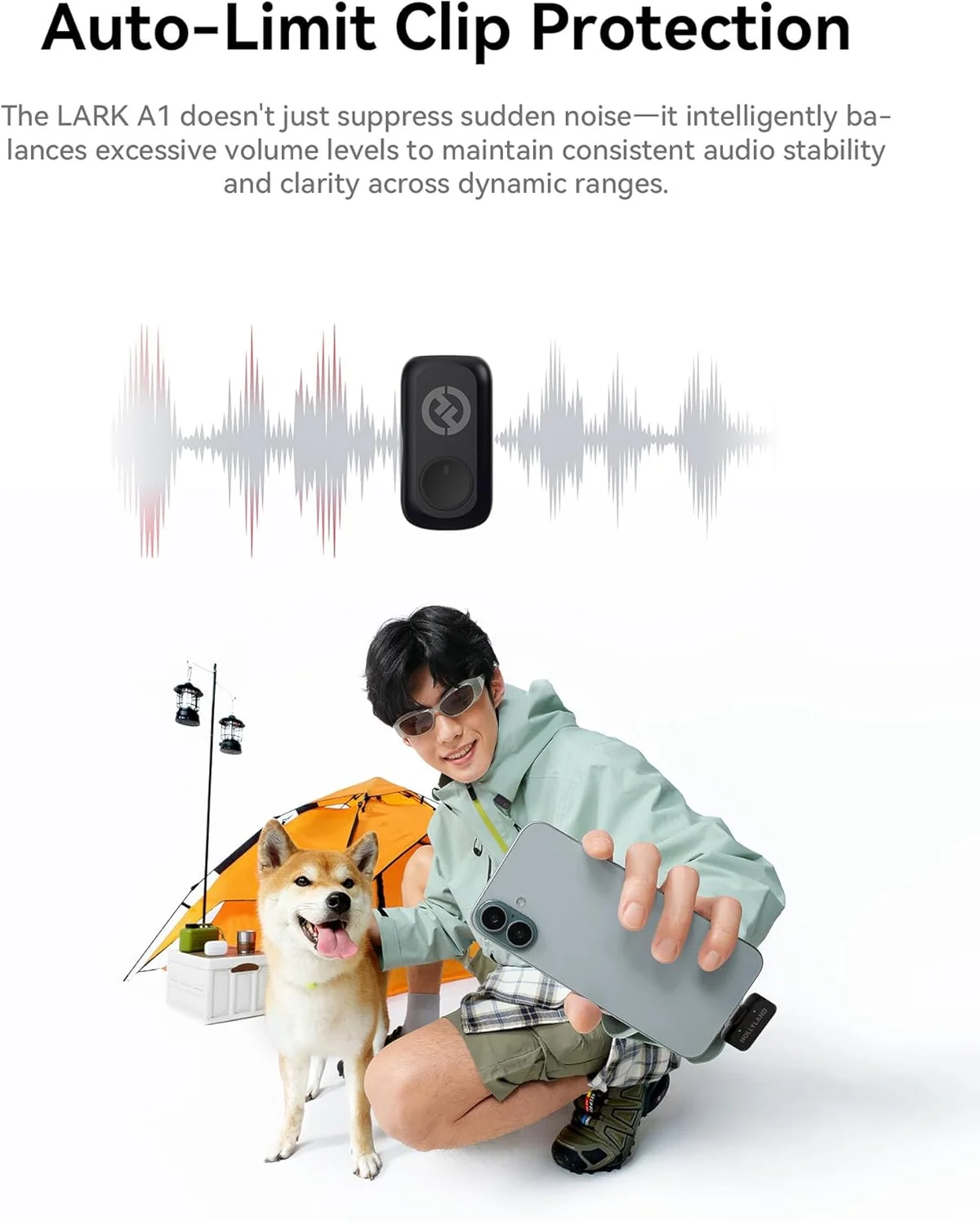
Most wireless mics under $30 record at 16-bit. The Lark A1 records at 24-bit — 256 times more resolution in the audio signal. In practical terms: quieter passages retain detail instead of dissolving into digital noise, and louder moments have more headroom before distortion. The 120 dB max SPL handling means the Lark A1 stays clean even during shouts, sudden laughs, or loud ambient environments.
Ten out of thirteen reviewers confirmed the audio quality claim without qualification. "Great sounding microphone" and "sound quality is clear and stable" are the consistent phrases. One reviewer who also owns a Hollyland Lark M2 — the mid-tier system at more than triple the Lark A1's price — said the sound quality and ease of connection between the two are "spot on." That comparison from someone who owns both products is the strongest endorsement the Lark A1 can receive.
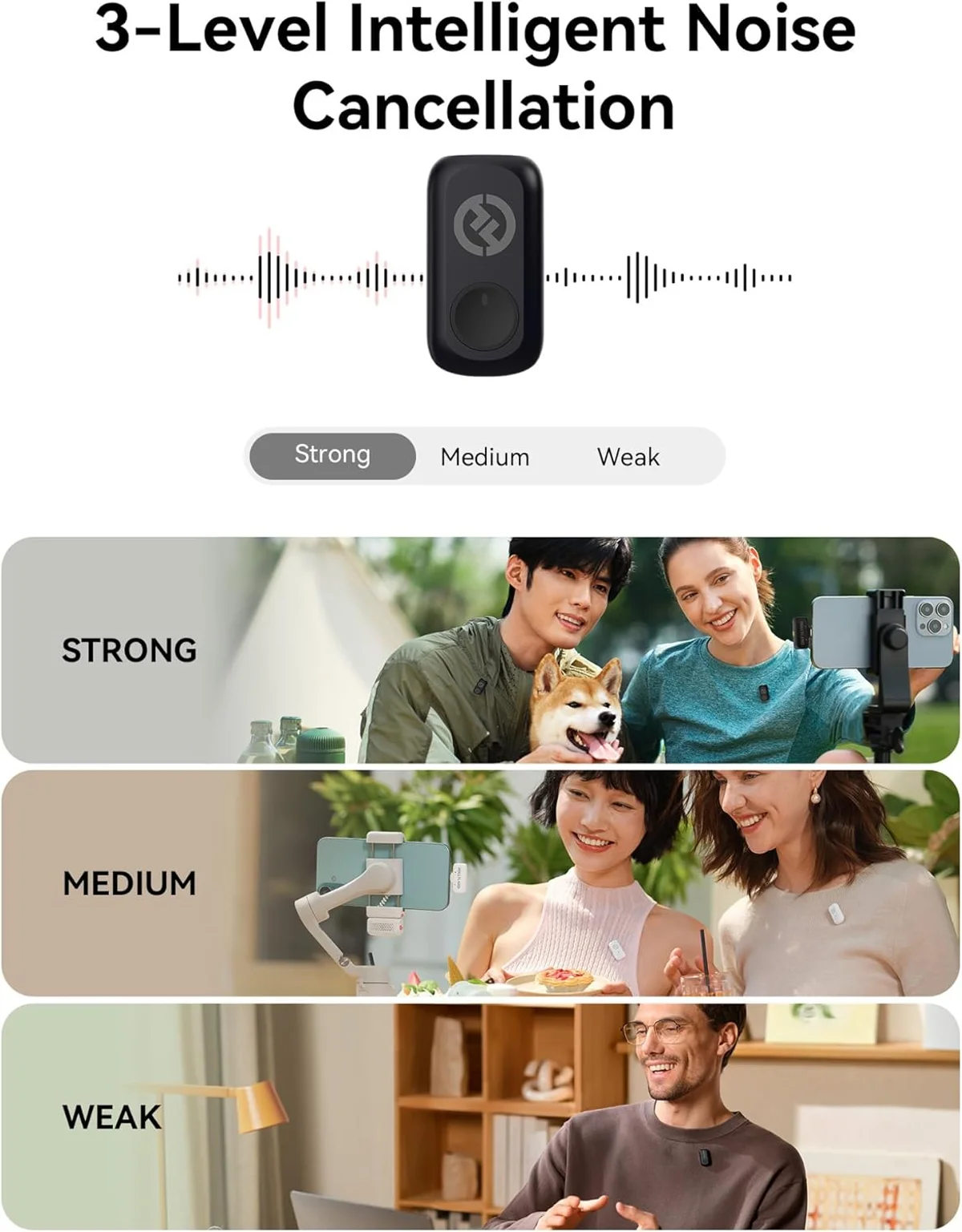
Three Noise Cancellation Levels Where Others Give You One
Weak, Medium, and Strong — each level strips progressively more ambient noise at the cost of vocal naturalness. The DJI Mic Mini wireless system offers two levels. Most budget wireless mics below $25 offer none or a single on/off toggle.
The three-tier approach matters because noise cancellation is not free — it always costs audio quality. Having three levels lets you choose the minimum effective dose. A reviewer recording outdoors in heavy wind reported that the noise cancellation "really helps clean up background sounds." Another testing in windy conditions confirmed hearing "everything crystal clear." The windshield accessories included in the kit add a physical layer of wind protection on top of the digital processing.
54 Hours of Battery in a Package Smaller Than Lipstick
The charging case is the feature that makes the Lark A1 a daily-carry device instead of a sometimes-use accessory. Nine hours per transmitter charge, multiple full recharges in the case, and a total system runtime that stretches across weeks of typical content creator use. Reviewers consistently confirm the battery claims — "battery lasts through long recording sessions" and "can't really tell it's there" are the patterns.
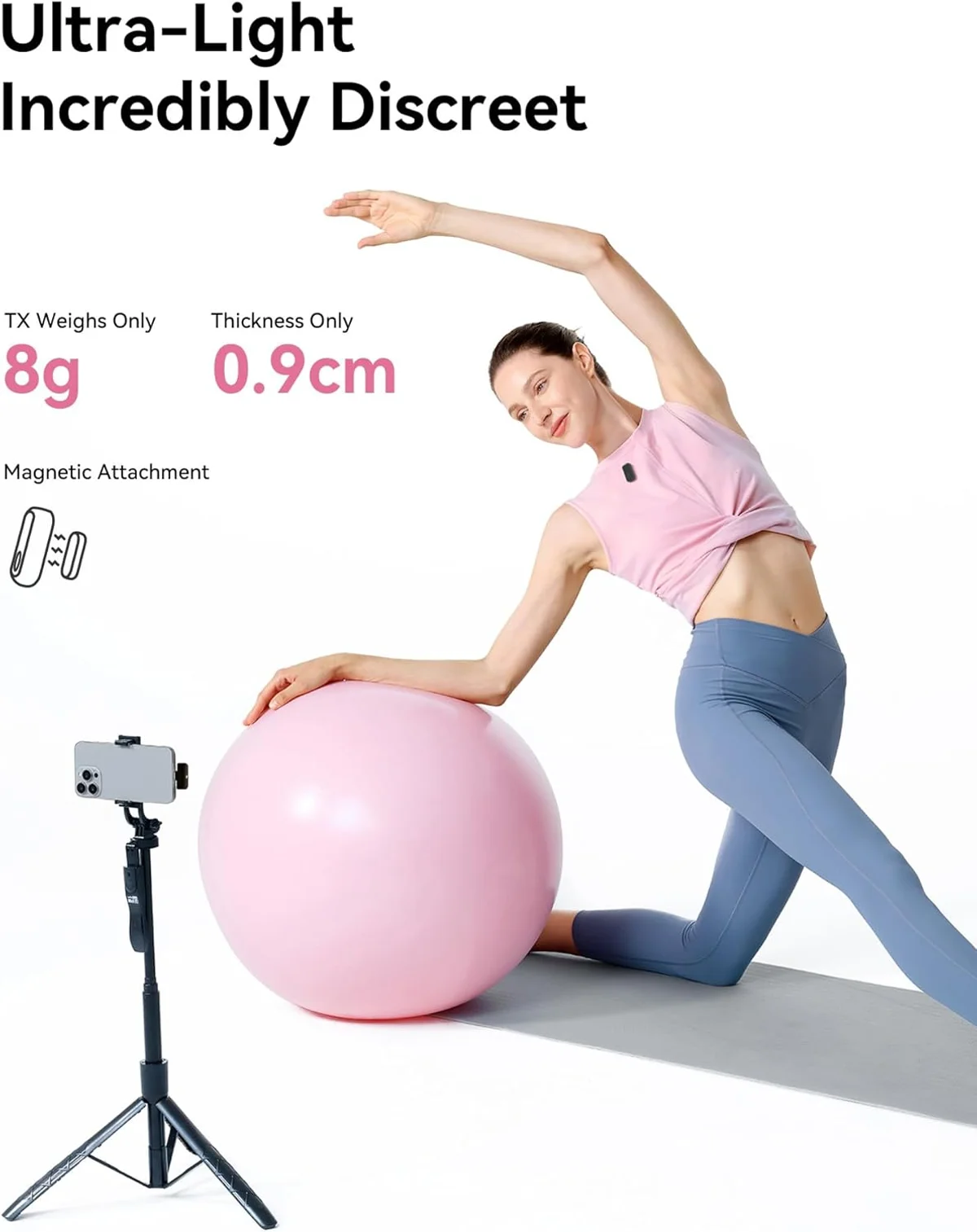
Small enough to disappear into a pocket. Small enough that one reviewer noted the black transmitter blends into dark clothing and becomes invisible to the camera. At 8 grams per transmitter — one gram lighter than the Hollyland Lark M2 wireless system — the weight barely registers when clipped on.
After a few weeks of daily use recording short-form videos and voice memos, the charging routine becomes invisible. Toss the case on a USB-C cable once every two to three weeks and the system stays ready. Compare that to budget Bluetooth mics that die mid-session after 3-4 hours and require daily charging — the battery advantage compounds into a fundamentally different user experience over time.
Strengths & Limitations
Strengths
- 48 kHz/24-bit recording at a price tier where 16-bit is standard — noticeably better audio specs
- 8-gram transmitter weight is barely noticeable when clipped on
- 54-hour total battery system with the charging case covers weeks of casual use
- Hollyland brand credibility backed by expert-reviewed products at higher tiers
Limitations
- Noise cancellation degrades audio quality when enabled — better to leave it off
- Short wireless range in real-world indoor conditions — stay within 20 feet for reliable signal
- Plastic build feels fragile and the clip mechanism could be sturdier
- Single-channel only — no interview or dual-mic capability
Performance & Real-World Testing
The Range Question Every Budget Buyer Asks
Hollyland claims 200 meters line of sight.
That number is meaningless for the Lark A1's actual use case.
The Lark A1 is a smartphone wireless mic. Smartphone content creation happens at 2-10 feet — you filming yourself, interviewing someone across a table, recording a walk-and-talk. At those distances, the wireless connection is rock solid. The USB-C direct connection (not Bluetooth) provides more stable transmission than the Bluetooth-based budget mics that litter the sub-$20 price range.
At 20+ feet indoors with walls between transmitter and receiver, reliability drops. One reviewer documented this as the practical indoor ceiling for consistent audio. For event coverage or filming subjects at distance, the Lark A1 is not the right tool — the Hollyland Lark M2 wireless system and Rode Wireless Go II professional wireless serve those distances with stronger antenna systems.
Build Quality: Budget Expectations, Honest Assessment
The transmitters are plastic. They weigh 8 grams. The magnetic clip holds for normal movement — walking, gesturing, turning your head — but vigorous physical activity tests the mount's limits. Running, jumping, and aggressive arm movements can dislodge the transmitter from lighter fabrics. The charging case latches shut with a satisfying audible click but the plastic housing would not survive a hard drop onto concrete.
This is a $30 wireless microphone system with dual transmitters.
Judged against that price, the build exceeds expectations. Every reviewer who mentioned build quality framed it positively: "good connection," "clips on quickly and securely," "magnetic design makes placement simple." Nobody called the construction premium or rugged — but nobody reported failures or breakage either, across 13 independent reviews spanning multiple months.
The included furry windshields deserve specific mention — they are unexpectedly effective for outdoor recording. Most budget wireless mics at this tier skip wind protection entirely or include a foam cover that does nothing against real wind. The Lark A1's windshields provide genuine wind noise reduction that makes outdoor recording viable rather than theoretical. One reviewer recording in consistently windy conditions confirmed hearing "everything crystal clear" with the windshields attached — a result that would be unachievable with the bare transmitter in the same conditions.
Value Analysis
The Price That Eliminates Deliberation
At $25–$50, the Lark A1 is the least expensive wireless microphone in our catalog that we can recommend without heavy qualification. Below it: the Mini Mic Pro wireless lavalier, MAYBESTA wireless lav, and other sub-$25 options that lack expert validation, have shorter batteries, and offer lower audio resolution. The Lark A1 is where budget meets "actually usable" — the floor below which compromises start to matter.
Above it: the DJI Mic Mini budget wireless system at $25–$50 adds DJI brand quality, auto-limiting to prevent clipping, and ecosystem integration with Osmo products. The Hollyland Lark M2 wireless system at $50–$100 adds better audio quality, three receiver types including camera, and stereo channel separation for two-person interviews. Each step up costs more, delivers more, and serves a more specific need.
The Lark A1 serves the creator who has not yet decided whether wireless audio is worth any investment at all. At this price, the answer becomes trivially obvious: yes. Try it, confirm the audio improvement, and decide later whether to invest more in the craft.
The audio upgrade from phone mic to Lark A1 is not incremental — it is categorical. The first time you play back a recording made with the transmitter clipped at chest level, noise cancellation on Weak, in a room where your phone mic would have captured equal parts voice and ambient noise, the difference hits. Your voice is present, centered, and clean. The room disappears. That moment is when most creators realize wireless audio is not a luxury; it is the baseline expectation their audience already has from watching professionally produced content.
What to Expect Over Time
Who the Lark A1 Actually Serves
First-time content creators who want to test whether external audio improves their content without spending real money. The answer will be yes — and the Lark A1 provides that answer at the lowest cost.
Students and educators recording lectures, presentations, or classroom content on smartphones. The 54-hour battery means charging happens once every few weeks, not daily. The three-level noise cancellation handles classroom ambient noise at the Weak setting — HVAC hum, hallway chatter, chair movement — without the processing artifacts that Strong mode introduces. The price fits even the tightest education budget, and the dual transmitters mean two students or a teacher-student pair can be mic'd simultaneously.
Professionals who need an emergency backup mic in their gear bag. At $25–$50, keeping a Lark A1 as a backup for primary system failures costs less than a single coffee meeting and provides genuine production insurance. The 48 kHz / 24-bit recording quality means the backup audio is actually usable in a final cut — not just reference material to be replaced later.
Remote workers upgrading Zoom and Teams call audio. The Lark A1 clipped at chest level with the receiver plugged into a laptop via USB-C produces clear, directional audio that conference call participants notice immediately. The difference between laptop mic audio and wireless lav audio on a video call is the difference between sounding like a participant and sounding like the one running the meeting.
The jump from phone mic to any wireless lav mic is the single largest audio quality improvement per dollar in content creation. The Lark A1 captures your voice at your chest with directional focus. Your phone mic captures everything in the room equally. Viewers notice the difference before they notice anything else about your content quality.
If you have never used an external microphone of any kind, the Lark A1 is calibrated precisely for you. Plug in, clip on, record. The noise cancellation handles environments where your phone mic produces unusable audio. The price means the experiment costs almost nothing if you decide external audio is not for you.
The step from generic sub-$20 wireless mics to the Lark A1 buys you three things: 24-bit audio resolution (vs 16-bit), three-level noise cancellation (vs none or basic), and Hollyland's brand-backed quality control. The audio improvement is audible. The reliability improvement is where you stop losing takes to connection drops and battery deaths mid-recording.
Lark A1 Quick Answers
Does the Hollyland Lark A1 work with both iPhone and Android?
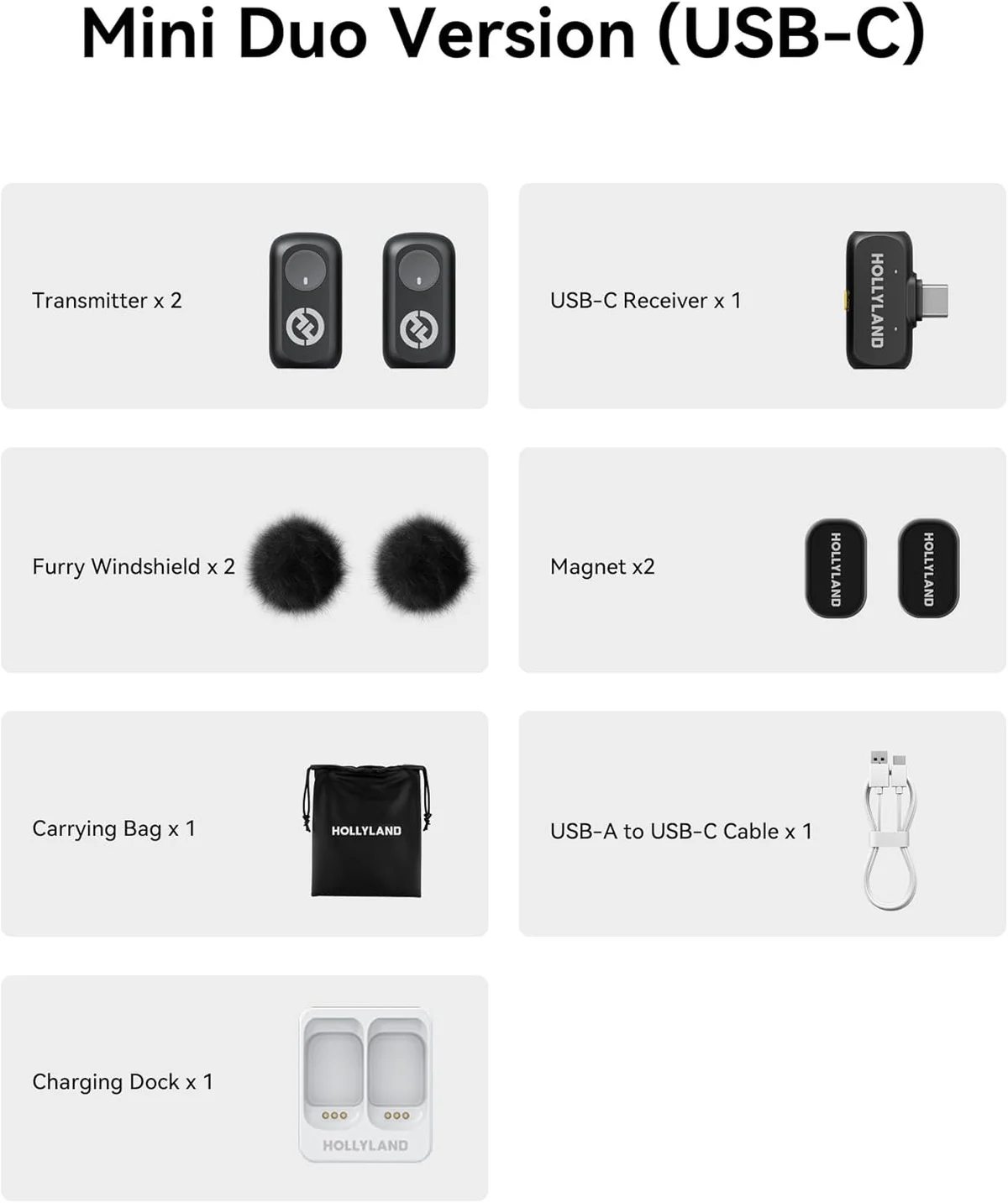
Yes. The kit includes a USB-C receiver that works with Android phones, PCs, and tablets. For iPhones with Lightning ports (iPhone 14 and older), Hollyland sells a Lightning version separately — or you can use a Lightning-to-USB-C adapter. iPhone 15 and newer with USB-C connect directly to the included receiver.
What are the three noise cancellation levels and when should each be used?
Weak mode handles light ambient noise (room tone, distant sounds) with minimal impact on voice quality — best for indoor recording. Medium strips moderate background noise for coffee shops and office environments. Strong mode aggressively removes wind and traffic noise but noticeably flattens vocal detail. Start with Weak indoors and increase only when the environment demands it. The audio quality drop from Weak to Strong is audible.
How does the 54-hour battery claim hold up?
The 54-hour figure is total system runtime including charging case recharges. Each transmitter runs approximately 9 hours per charge, and the case holds enough power for multiple full recharges. For typical content creator use — 30-60 minutes of recording per day — the system can last two to three weeks between wall charges. Multiple reviewers confirm the battery outlasts their expectations without qualification.
Hollyland Lark A1 vs DJI Mic Mini — which budget wireless mic wins?
Different strengths. The <a href="/reviews/dji-mic-mini/">DJI Mic Mini</a> offers DJI brand quality, auto-limiting to prevent clipping, and DJI ecosystem integration for Osmo devices at roughly 50% more cost. The Lark A1 offers longer total battery (54h vs 48h), a lighter 8g transmitter, three noise cancellation levels (vs two), and a lower entry price. For absolute budget priority: Lark A1. For DJI ecosystem users or those who want auto-limiting: DJI Mic Mini. Our <a href="/hollyland-lark-a1-vs-mini-mic-pro-wireless/">comparison page</a> covers the budget tier in detail.
Is the Hollyland Lark A1 good enough for professional use?
One reviewer who also owns the <a href="/reviews/hollyland-lark-m2/">Hollyland Lark M2</a> specifically recommended the Lark A1 as a professional backup mic. The 48kHz/24-bit recording and clean audio output make it usable for interviews, basic video recordings, and content creation. It will not match the reliability and feature set of professional systems like the <a href="/reviews/rode-wireless-go-ii/">Rode Wireless Go II</a>, but for a secondary or emergency mic, the audio quality exceeds what the price suggests.
How reliable is the wireless range indoors?
Hollyland claims 200m (650 feet) line of sight. Real-world indoor range — the number that actually matters — drops to 20-50 feet depending on walls and obstacles. For smartphone content creation at typical filming distances (2-10 feet), range is a non-issue. For event work or recording subjects across large rooms, the range becomes a limitation. The direct USB-C connection (no Bluetooth) provides more stable audio than Bluetooth mics at similar prices.
Track the Lark A1
We check the price daily and monitor availability. You hear from us when something changes.
Only when something changes. Unsubscribe anytime.